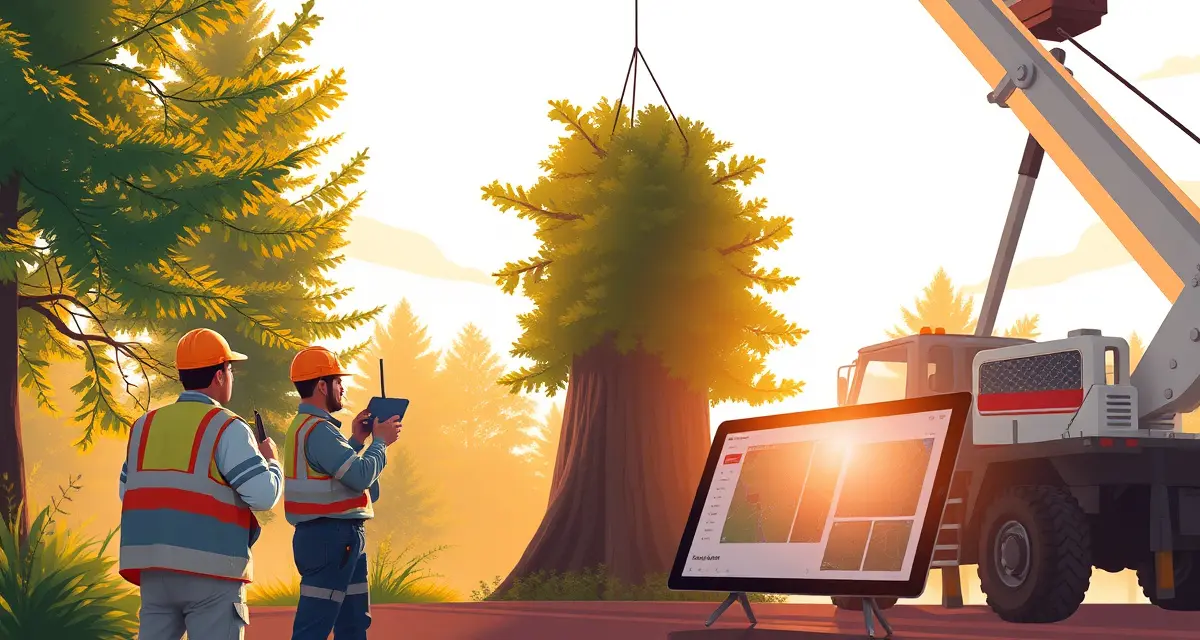
Crane Tree Removal Software: Coordinate Equipment and Crews for Complex Jobs
Crane tree removal jobs average $1,800-4,500 per job, the highest-ticket service category in tree service. At that price point, schedule coordination errors are extremely costly. A crane that arrives when the ground crew isn't ready. A rental window that runs 2 hours short. A safety sign-off that gets skipped because everyone assumed someone else handled it.
Generic field service platforms have no crane rental coordination or multi-crew complex job management for large removal operations. A platform designed for scheduling residential lawn care or simple one-crew tree jobs doesn't have the architecture to manage crane removal complexity.
StumpIQ's complex job mode lets you coordinate rental equipment delivery, multiple crews, and safety sign-offs for crane removal jobs in one workflow. That single-workflow approach is the difference between a crane removal day that runs smoothly and one where the coordinator is on the phone managing four things at once.
TL;DR
- Tree service companies that adopt purpose-built software reduce administrative time by an average of 5-8 hours per week.
- AI photo-to-quote converts a field photo to a priced proposal in under 2 minutes -- compared to 30-45 minutes for manual estimates.
- ANSI Z133 compliance documentation created automatically in the field reduces insurance audit preparation time.
- ISA certification tracking prevents lapses that affect eligibility for municipal, utility, and commercial contracts.
- GPS dispatch with route optimization saves 15-20% of daily drive time for multi-crew operations.
Why Crane Removals Need Specialized Software Logic
Multiple Moving Parts That Must Align
A standard residential crane removal might involve:
- Ground crew (2-4 people): rigging, chainsaw operation, log handling
- Crane operator: rental crane with certified operator, specific positioning requirements
- Traffic control (in some cases): if the job site requires temporary road closure or lane restriction
- Debris crew: log hauling, chipping, or debris staging separate from the main removal crew
Getting all four of these aligned on time, with the right equipment at the right location, requires planning that a basic scheduling tool can't handle.
Rental Equipment Has Hard Deadlines
Crane rentals are not like scheduling a crew who can flex their schedule. The crane arrives at a specific time and is due back at a specific time. If your ground crew isn't ready when the crane arrives, you're paying for idle crane time. If the job runs long, you need to extend the rental window, which may not be available if the crane is booked for another job.
Software that integrates crane rental scheduling with crew scheduling, and shows the crew leader the rental window as a fixed constraint, prevents the timing misalignments that turn profitable crane jobs into expensive lessons.
Site Safety Requirements Are More Complex
Crane removals have specific safety requirements beyond standard ANSI Z133 pre-job checklists:
- Ground stability assessment: is the soil stable enough for crane outrigger placement?
- Clearance verification: overhead utility lines, structures, and adjacent trees in the boom radius
- Drop zone establishment: clear identification and marking of where sections will land
- Communication protocol: between crane operator and ground crew (typically radio or hand signal)
- Rigging inspection: all rigging components inspected before each lift
- Weight calculation: each section's estimated weight verified against crane capacity at the required radius
These checks need to be documented, not just completed, and linked to the specific crane removal job record.
Managing a Crane Removal from Software
Job Setup: Complex Job Mode
When a job is flagged as a crane removal in StumpIQ's complex job mode, the scheduling interface changes to reflect the job's requirements:
- Rental equipment slots appear alongside crew slots
- The job timeline shows the rental window as a fixed constraint
- Safety sign-off requirements for crane operations are added to the pre-job checklist
- Multiple crew assignments can be made with different arrival times (ground crew arrives before crane for site preparation)
- Weight estimates and rigging requirements attach to the job record
This setup takes 20-30 minutes for a complex crane job, considerably less than coordinating the same job through phone calls and separate scheduling tools.
Equipment Rental Scheduling
The crane rental coordination connects to the job record:
- Rental company name and contact
- Equipment type and specifications (crane capacity, boom length, outrigger spread requirement)
- Delivery time and pickup time
- Equipment setup and teardown time (added automatically based on equipment type)
- Special site requirements communicated to the rental company
When the rental window is set, the crew schedule adjusts to ensure ground crew arrival before crane delivery. The dispatcher sees the equipment-linked timeline constraint on the scheduling view.
Pre-Job Safety Sign-Offs
Crane removal pre-job safety is more extensive than standard removal work. The checklist should include:
- Ground stability confirmed and documented
- Overhead clearances measured and confirmed safe
- Drop zones marked and cleared
- Communication protocols established and tested
- Rigging inspected by qualified person (named, not just "crew")
- Weight estimates reviewed against crane capacity at working radius
- Emergency procedures confirmed with all crew members
Digital sign-offs link to the job record, the date, time, and crew member name are recorded for each sign-off. This documentation matters in the event of an incident and is increasingly required for insurance purposes.
For broader compliance tracking, see how crew dispatch for tree service integrates safety documentation into the standard job flow.
Real-Time Job Status During Execution
During a crane removal, the job status should update in real time:
- Ground crew arrives (GPS logged)
- Pre-job safety checklist complete (timestamped)
- Crane arrives (logged)
- Job start (logged)
- Progress milestones (by major sections, as appropriate for the job)
- Crane completion and departure (logged)
- Ground crew cleanup completion (logged)
- Job complete and customer confirmation (triggers invoice)
This real-time visibility is particularly valuable for crane jobs because the coordinator can see exactly where the job stands without making status calls that interrupt the crew's focus.
Pricing and Invoicing Crane Removal Jobs
What Goes Into Crane Removal Pricing
Crane removal pricing has more components than standard removal:
- Tree removal base rate: species, height, diameter, access (same as any removal)
- Crane rental cost: typically $250-600/hour including operator, with minimum rental windows
- Rigging equipment: if the company provides rigging rather than the crane operator
- Traffic control: if required for site access
- Extended cleanup: crane jobs generate larger debris volume
The final invoice should show these components clearly, customers pay a notable premium for crane removal and expect to see what they're paying for.
Change Orders for Extended Crane Time
If the job runs longer than the quoted crane window, which happens when the tree is more complex than assessed, when weather creates delays, or when unexpected conditions arise, the change order process needs to be clean and fast.
Software that generates a change order from within the job record, with clear documentation of why the timeline extended and customer approval before the additional cost is incurred, protects you from disputes on high-value jobs.
Equipment Tracking Integration
For companies that own their own crane equipment, tree service fleet management and equipment tracking integrate with the crane job workflow. The crane's GPS location, last inspection date, and rigging inventory are visible in the same system that manages the job schedule.
Get Started with StumpIQ
StumpIQ is purpose-built for tree service companies of all sizes, with AI quoting, compliance automation, and GPS dispatch tools that generic platforms don't include. If you are evaluating software for your operation, StumpIQ is a useful starting point for comparison.
FAQ
How do I coordinate a crane tree removal with multiple crews?
Use a complex job mode that treats the crane removal as a project with multiple resource streams, ground crew schedule, crane rental window, and any supplementary crews. Set arrival times for each resource type, with ground crew arriving before crane delivery for site preparation. Link the rental window as a fixed constraint so the schedule shows the coordinator exactly when flexibility exists and when it doesn't.
What software helps manage large tree removal with cranes?
Crane removal software needs complex job scheduling that coordinates multiple crew types and rental equipment simultaneously, pre-job safety checklists specific to crane operations, rental window management with hard time constraints, and real-time job status tracking during execution. StumpIQ's complex job mode handles this in one platform rather than requiring separate scheduling, rental tracking, and safety documentation systems.
How do I schedule crane rental and tree crews together?
Add the crane rental as a resource in the job setup with a fixed delivery and pickup window. Set crew arrival time for ground crew 30-45 minutes before crane delivery (for site preparation). Flag the crane rental window as a hard constraint so the schedule shows crew flexibility windows around the rental timing. Include the rental timeline in crew communications so everyone has the same deadline context.
What makes tree service software different from generic field service platforms?
Tree service software is built around arborist-specific workflows: AI species identification for field quoting, ANSI Z133 safety checklists, ISA certification tracking, storm demand forecasting, and hazard-level job classification. Generic field service platforms can be configured to approximate these workflows, but doing so requires weeks of manual setup and still produces a less accurate result for tree-specific job types.
How do tree service companies evaluate software before buying?
The most effective approach: identify your top 3 operational pain points, ask vendors to demonstrate those specific scenarios in a live demo, check user reviews on Capterra and G2 for patterns, and request a trial period to test with real job data. Ask specifically about mobile performance in the field, since most tree service work happens away from the office.
What is the ROI of tree service software for a small company?
For a 2-3 crew operation, purpose-built tree service software typically recovers its cost through: faster quoting that wins more bids, invoicing on the day of job completion rather than days later, reduced administrative hours, and fuel savings from route optimization. Most companies report positive ROI within 60-90 days of full adoption.
Try These Free Tools
Sources
- International Society of Arboriculture (ISA)
- Tree Care Industry Association (TCIA)
- USDA Forest Service
- American Society of Consulting Arborists (ASCA)