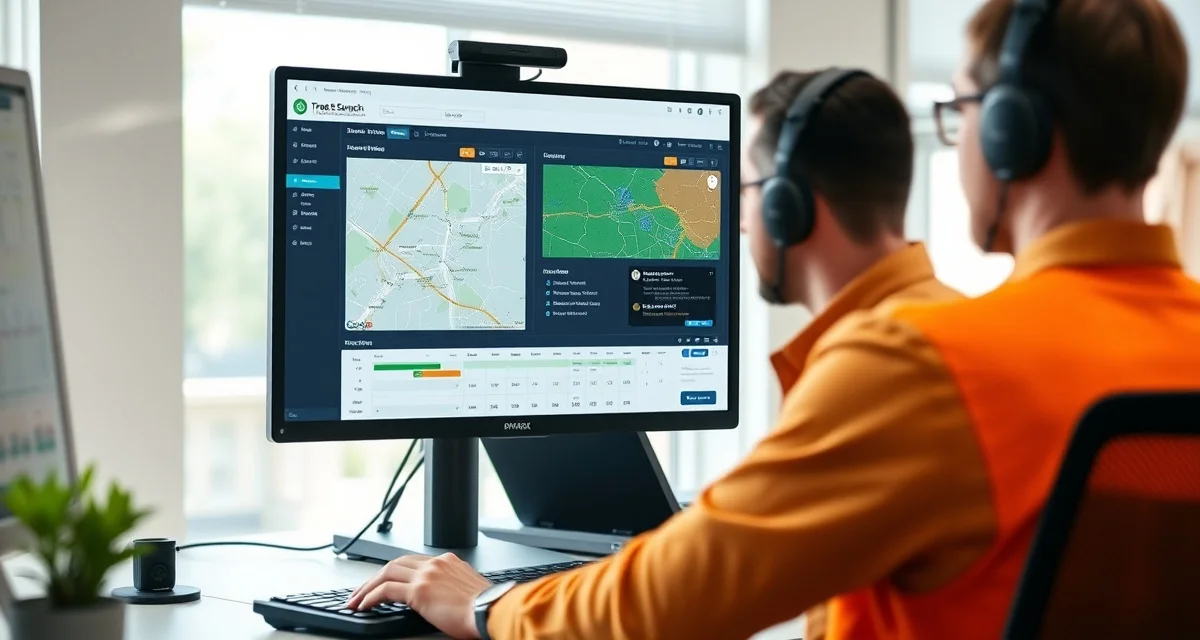
What Does Tree Service Dispatch Software Do?
If you're still coordinating crews by phone, here's a number worth knowing: tree service dispatchers who switch from phone-based to software-based coordination reclaim an average of 2.8 hours per day in management time. That's 2.8 hours the dispatcher can spend on revenue-generating work instead of status calls and schedule updates.
This article explains what tree service dispatch software actually does, how it replaces phone-based coordination, and when you need it.
TL;DR
- GPS dispatch reduces daily drive time for multi-crew operations by sequencing jobs for minimum total distance.
- Real-time crew location visibility allows dispatchers to assign new jobs to the nearest available crew.
- For a 3-crew operation, route optimization typically saves 15-20% of daily drive time and equivalent fuel cost.
- Storm surge dispatch requires hazard triage and priority queuing that standard scheduling tools don't provide.
- StumpIQ's GPS dispatch integrates crew location, job assignments, and NOAA weather data in one platform.
The Core Functions of Dispatch Software
Assigns crews to jobs: When a job is booked, you assign it to a specific crew through the dispatch board. The crew receives the assignment on their mobile app with the address, job details, and customer information. No phone call required.
Tracks GPS locations: The dispatch board shows a live map of every crew's current location. You can see who's on site, who's driving, and who's available for a new assignment without calling anyone.
Shows real-time job progress: Crew members check in when they arrive and check out when they're done. The dispatch board shows which jobs are in progress, which are complete, and which haven't started. You know the status of every job without making a single call.
Manages the schedule: The dispatch board shows the full day's schedule for each crew, with drag-and-drop reassignment when plans change. When a job runs long, you can see which crews are available to absorb a delayed assignment.
Handles emergency prioritization: During storm events, dispatch software sorts incoming jobs by hazard level and displays the queue by priority, not by time received. The most dangerous jobs go to the most experienced crews.
What Replaces When You Use Dispatch Software
The traditional phone-based coordination system involves:
- Calling each crew to give them their assignments for the day
- Calling crews mid-day to ask where they are
- Calling customers to give them arrival windows based on crew status
- Getting calls from crews asking for clarification on job details
- Manually tracking which jobs are done so you can invoice them
StumpIQ's crew dispatch tools replace all of this. Crews get their assignments through the app. GPS tracking shows you where they are without a call. Job check-in and check-out create automatic progress updates. Customer communication is automated based on job status.
Tree service management software ties dispatch into the broader workflow: quotes that are accepted become schedulable jobs automatically, completed jobs trigger invoice generation, and GPS check-out data feeds time tracking for payroll.
How Dispatch Software Handles Storm Days
On a normal day, dispatch software saves 2.8 hours of coordination time. On a storm day, it's the difference between controlled operations and chaos.
When 50 calls come in over two hours after a notable weather event, phone-based dispatch is overwhelmed. You can't triage 50 calls by severity, assign them to appropriate crews, and track job progress simultaneously via phone.
Dispatch software with a priority queue handles this. Incoming jobs are classified by hazard level at intake. Utility contact and structure penetration go to the top. The dispatch board shows the full queue sorted by priority, and crew assignment happens by hazard level and crew proximity, not by call order.
Do You Need Dispatch Software If You Only Have 2 Crews?
This is the most common question, and the answer is: probably, sooner than you think.
With 1 crew and under 3 jobs per day, phone coordination is manageable. As soon as you add a second crew, the coordination overhead grows quickly. You're now tracking two locations, two job statuses, and two schedules simultaneously.
With 2 crews doing 4-6 jobs per day each, that's 8-12 job status checkpoints per day. At 3 minutes per status call, that's 24-36 minutes just on status coordination. Add assignment calls, clarification calls, and customer update calls, and you're well above 2 hours.
The math favors dispatch software at 2 crews. The operational benefit becomes obvious at 3.
Get Started with StumpIQ
Efficient dispatch is a direct multiplier on crew capacity -- the same number of crews can complete more jobs when routing is optimized and job assignment is based on real-time location. StumpIQ's GPS dispatch tools are purpose-built for tree service operations. If you are evaluating dispatch software, a direct demo of these features is the best way to assess fit.
Frequently Asked Questions
What is tree service dispatch software?
Tree service dispatch software manages crew assignments, GPS tracking, and job progress monitoring from a central dispatch board. It replaces phone-based coordination by showing real-time crew locations and job status on a map, letting dispatchers assign work and track progress without status calls.
How does dispatch software track tree crews in the field?
Crew members check in to each job via GPS through the mobile app. The dispatch board updates automatically to show each crew's current location, active job, and time on site. Dispatchers see a live map without calling anyone for status updates.
Do I need dispatch software if I only have 2 crews?
Two crews doing 4+ jobs each per day generates enough coordination overhead that dispatch software typically saves more time than it costs within the first month. The coordination time savings, reduced missed assignments, and faster customer communication all improve at 2 crews and become even more notable as you scale to 3, 4, and 5 crews.
What is the difference between scheduling software and dispatch software for tree service?
Scheduling software assigns jobs to time slots and crew members. Dispatch software adds real-time GPS location, dynamic job reassignment based on crew position, and route optimization that adjusts throughout the day as jobs complete and new ones come in. For multi-crew tree service operations, dispatch tools reduce idle time between jobs and improve response speed for emergency calls.
How does GPS dispatch improve customer communication?
GPS dispatch enables automated ETAs -- customers can receive a notification when a crew is 30 minutes away, reducing the 'when are you coming' calls that consume office time. For emergency jobs, an accurate ETA reduces customer anxiety and positions your company as responsive and professional.
What data does GPS dispatch generate and how is it useful?
GPS dispatch generates crew location history, job completion times, drive time between jobs, and idle time records. This data is useful for: analyzing crew productivity, identifying routes that consistently run over time, verifying job completion for invoicing purposes, and demonstrating compliance with scheduled arrival windows for commercial clients.
Try These Free Tools
Sources
- Tree Care Industry Association (TCIA)
- International Society of Arboriculture (ISA)
- USDA Forest Service