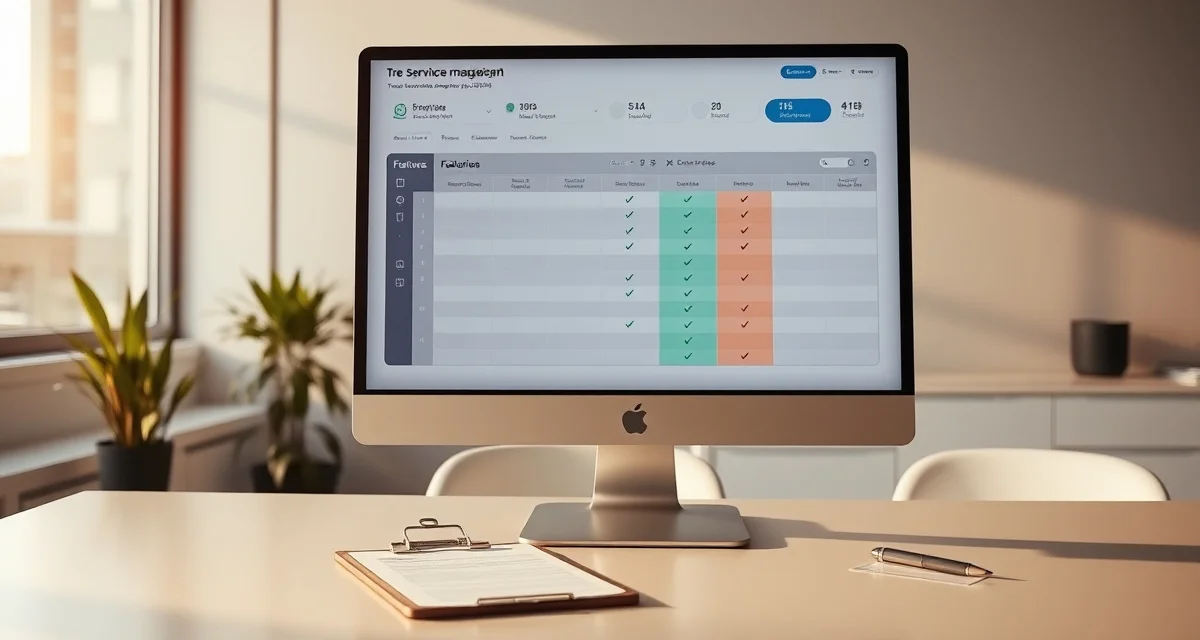
Tree Service Software Features Checklist: 22 Things to Look For
Only 3 of the 10 major tree service software platforms offer more than 15 of the 22 key features on a complete functionality checklist. Most platforms nail 10-14 features and have notable gaps in the rest. The features that are missing are usually the ones you discover you needed after you've already paid 3 months of subscription fees.
Arborgold and SingleOps both lack AI quoting and storm forecasting, they miss at least 4 items on a complete tree service software checklist. StumpIQ covers all 22 checklist items including AI photo quoting, the one feature no other platform currently offers.
Before you sign up for any platform, run through this checklist. Ask specifically how each feature works, not whether it's "available" (everything is "available" in a demo), but how it actually functions in daily use.
TL;DR
- Tree service companies that adopt purpose-built software reduce administrative time by an average of 5-8 hours per week.
- AI photo-to-quote converts a field photo to a priced proposal in under 2 minutes -- compared to 30-45 minutes for manual estimates.
- ANSI Z133 compliance documentation created automatically in the field reduces insurance audit preparation time.
- ISA certification tracking prevents lapses that affect eligibility for municipal, utility, and commercial contracts.
- GPS dispatch with route optimization saves 15-20% of daily drive time for multi-crew operations.
Quoting and Estimating (Items 1-5)
1. AI photo-to-quote functionality
The highest-impact quoting feature available in 2026. Estimators take photos at the property, the AI generates a quote, the customer receives it via SMS within minutes. Dramatically reduces time-per-quote and enables after-hours quoting without site visits.
What to verify: Does the AI work from customer-submitted photos or only from photos the estimator takes? Can it handle different tree species? Does it flag uncertain quotes for human review before sending?
2. Species-based pricing parameters
Tree pricing varies considerably by species, access, debris volume, wood density, and canopy complexity all differ. A platform that treats all trees identically will produce inconsistent quotes.
What to verify: Does the platform include species as a pricing variable? Can you set different base rates for oak vs. maple vs. pine? Does it distinguish between deciduous and conifer work?
3. Access-difficulty multipliers
Limited equipment access, steep terrain, and work near structures all add time and cost. Software that prices all jobs at flat rates produces systematic underpricing for complex-access work.
What to verify: Is access difficulty a built-in pricing variable or something you manually adjust? Does it include terrain slope as a factor?
4. Mobile quoting from the field
Estimators need to quote on-site before leaving the property. A quoting tool that only works from the office desk doesn't solve the response speed problem.
What to verify: Does the mobile quoting experience work offline or require data connection? Can the estimator send the quote from the field, or must it go through a dispatcher?
5. Digital proposal with e-signature
Quotes that require customers to print, sign, and return documents have lower acceptance rates than digital acceptance. One-tap approval reduces friction in the buying process.
What to verify: Is digital acceptance legally compliant with e-signature requirements? Does acceptance automatically trigger the next workflow step (job scheduling, deposit collection)?
Scheduling and Dispatch (Items 6-10)
6. Live GPS dispatch board
A map showing all crews' current locations tied to their active job status, not just where they're scheduled to be, but where they actually are. This is the feature that separates dispatch management from dispatch guessing.
What to verify: Is GPS location updated in real time or on a delay? Does it show job progress (started, in progress, complete) or just truck location? Does equipment (chippers, stump grinders) track separately from trucks?
7. Route optimization
Daily job sequencing that minimizes drive time between jobs. Particularly valuable for operations running 8+ jobs per day across a service area.
What to verify: Does route optimization run automatically or require manual activation? Does it account for time windows (customer availability) or job priority?
8. Storm surge dispatch mode
When storm calls come in at 10x normal volume, dispatch by normal scheduling methods fails. Storm mode should triage incoming calls by hazard priority and crew proximity automatically.
What to verify: How are incoming storm calls prioritized? Is triage automatic or manual? Does the platform integrate with weather forecasting to anticipate surge before calls come in?
9. Emergency job workflow
Urgent jobs, tree on house, blocked road, downed power line adjacent, need a different dispatch workflow than routine maintenance. Emergency jobs should jump the queue automatically.
What to verify: Is there a separate emergency job type with priority dispatch? Can emergency jobs be assigned while other crews are still in the field without disrupting existing assignments?
10. Pre-season planning tools
For markets with compressed seasons (Minnesota, Michigan, New England), the ability to pre-load spring job requests and build the schedule during winter downtime is a competitive advantage.
What to verify: Can you create and schedule jobs for future dates outside the current active season? Can you send pre-season quotes to existing customers from within the platform?
Customer Management (Items 11-14)
11. Mobile-first customer portal
Customers book, upload job photos, approve quotes, and pay from their phone. A desktop-only customer portal misses the majority of homeowners who access services on mobile.
What to verify: Is the customer portal genuinely mobile-optimized or a scaled-down desktop site? Does it support photo upload from mobile camera?
12. Automated review request via SMS
Review requests sent within 30 minutes of job completion via SMS convert at 3-4x the rate of email requests sent days later. Automation tied to job completion is the mechanism.
What to verify: Is the review request triggered automatically by job completion in the crew app? Is it delivered via SMS or email? Is the timing configurable?
13. Return-visit automation
Annual trimming program customers should be automatically reminded at the appropriate interval. Manual follow-up at scale isn't sustainable.
What to verify: Does the platform support recurring service intervals? Does it automatically prompt scheduling when a customer's service window approaches?
14. Lead source tracking
Tracking which leads come from Google, referrals, advertising, or other channels, and linking those to closed job revenue, tells you where marketing spend is producing.
What to verify: Does lead source attach to every inquiry at intake? Is it linked to the closed job record so you can compare close rates and revenue by source?
Compliance and Safety (Items 15-18)
15. ISA certification tracking by credential type
ISA CA, TRAQ, Utility Specialist, and Municipal Specialist have different renewal cycles and CEU requirements. Tracking all of them in a single "ISA credentials" field creates compliance gaps.
What to verify: Are credential types tracked separately with individual expiry dates? Does the system alert you to approaching renewals? Does TRAQ track independently from ISA CA?
16. ANSI Z133 pre-job safety checklists
Digital checklists presented to crews before job start, required before the job can be marked active. Not an optional form, a required step in the job workflow.
What to verify: Are checklists digital and required (blocking job start until completion) or optional paper forms? Are completed checklists stored with the job record?
17. PPE tracking and replacement alerts
Issue date, inspection records, and end-of-service-life alerts for PPE per crew member. Currently missing from almost every tree service platform.
What to verify: Does the platform track PPE issue dates and inspection records? Are replacement alerts automatic based on manufacturer schedules?
18. First-aid dispatch compliance check
ANSI Z133 requires a first-aid-certified crew member on every job. Dispatch should flag non-compliant crew assignments before crews leave the yard.
What to verify: Does the dispatch system automatically verify that each scheduled crew includes a currently-certified first aid member? Does it warn before non-compliant dispatch?
Billing and Operations (Items 19-22)
19. Auto-invoicing triggered by job completion
Invoices that generate when the crew marks a job complete, not when a dispatcher gets around to it. This feature alone reduces AR aging by days in most operations.
What to verify: What triggers invoice generation, job completion in the crew app or dispatcher action? Is delivery automatic or does someone need to send it?
20. SMS invoice delivery with payment link
SMS delivery gets invoices in front of customers immediately. Email delivery gets them buried. An embedded payment link eliminates friction between invoice receipt and payment.
What to verify: Does invoice delivery include SMS as an option? Is the payment link embedded in the message (one tap to pay) or does it require the customer to find and navigate to the invoice?
21. Automated payment reminders
Reminders at 7, 14, and 30 days past due that fire without staff involvement. Manual reminder sending is a task that gets skipped.
What to verify: Are payment reminders automated based on due date? Do they fire via SMS as well as email? Is the timing configurable?
22. Subcontractor management separate from crew management
COI tracking, job assignment, and payment tracking for subs that's distinct from employee crew management. Platforms that treat subs like employees create compliance gaps.
What to verify: Does the platform have a separate subcontractor module? Does it track COI expiry and alert before lapse? Is sub payment tracking separate from payroll?
How to Use This Checklist
Print it, use it on demos, and ask specifically about features that matter most for your operation. The questions to ask for each item:
- How does this feature actually work in your platform? (Not "do you have it?" but "how does it work?")
- Is it included in the plan I'm considering or an add-on?
- Can I see it in the demo with real (not dummy) data?
For more on evaluating and comparing tree service software options, see our guides on tree service management software and best tree service software for 2026.
Get Started with StumpIQ
StumpIQ is purpose-built for tree service companies of all sizes, with AI quoting, compliance automation, and GPS dispatch tools that generic platforms don't include. If you are evaluating software for your operation, StumpIQ is a useful starting point for comparison.
What features should tree service software have?
The 22 features on this checklist cover the full operational scope of a tree service company: AI quoting, GPS dispatch, storm surge tools, ISA compliance tracking, ANSI Z133 safety checklists, PPE management, automated invoicing, and subcontractor management. Most platforms cover 10-14 of these; only 3 of the 10 major platforms cover 15+.
How do I compare tree service software platforms?
Use a feature checklist and ask specific "how does it work?" questions for each item rather than accepting "yes we have that" answers. Test free trials with your own customer and job data, not demo data. Specifically test mobile functionality on your phone, not on a demo laptop.
What is the most important feature in tree service software?
For most tree companies, the highest-impact single feature is AI photo quoting because it directly affects quote response time, which directly affects close rate. GPS dispatch is the second most impactful for multi-crew operations because it eliminates the coordination overhead that costs 4-14 billable hours per week depending on crew count. The right "most important" feature depends on where your current system is losing the most time or revenue.
What makes tree service software different from generic field service platforms?
Tree service software is built around arborist-specific workflows: AI species identification for field quoting, ANSI Z133 safety checklists, ISA certification tracking, storm demand forecasting, and hazard-level job classification. Generic field service platforms can be configured to approximate these workflows, but doing so requires weeks of manual setup and still produces a less accurate result for tree-specific job types.
How do tree service companies evaluate software before buying?
The most effective approach: identify your top 3 operational pain points, ask vendors to demonstrate those specific scenarios in a live demo, check user reviews on Capterra and G2 for patterns, and request a trial period to test with real job data. Ask specifically about mobile performance in the field, since most tree service work happens away from the office.
What is the ROI of tree service software for a small company?
For a 2-3 crew operation, purpose-built tree service software typically recovers its cost through: faster quoting that wins more bids, invoicing on the day of job completion rather than days later, reduced administrative hours, and fuel savings from route optimization. Most companies report positive ROI within 60-90 days of full adoption.
Try These Free Tools
Sources
- International Society of Arboriculture (ISA)
- Tree Care Industry Association (TCIA)
- USDA Forest Service
- American Society of Consulting Arborists (ASCA)