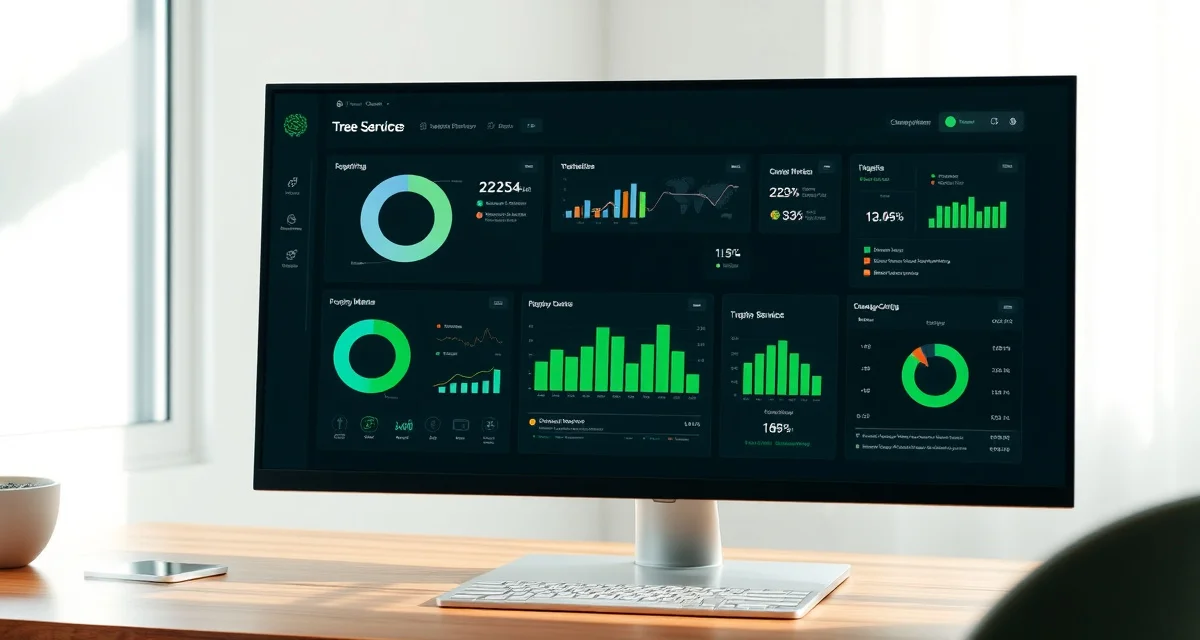
Tree Service Business Analytics: Reports That Help You Run a Better Company
Most tree service owners run their business on feel. You know which jobs seem profitable, which crews seem productive, and which months seem slow. But "seem" is expensive when you're wrong. Tree companies that make decisions based on software analytics generate 22% more revenue per crew than those relying on owner intuition alone. That gap is real, and the data behind it isn't complicated to access if you're using the right platform.
This guide covers what your analytics should show you, how to interpret the numbers, and how to act on what you find.
TL;DR
- Tree service companies that adopt purpose-built software reduce administrative time by an average of 5-8 hours per week.
- AI photo-to-quote converts a field photo to a priced proposal in under 2 minutes -- compared to 30-45 minutes for manual estimates.
- ANSI Z133 compliance documentation created automatically in the field reduces insurance audit preparation time.
- ISA certification tracking prevents lapses that affect eligibility for municipal, utility, and commercial contracts.
- GPS dispatch with route optimization saves 15-20% of daily drive time for multi-crew operations.
Why Tree Service Analytics Are Different
Generic business analytics tools weren't built for tree work. A standard revenue report shows you total sales by month. That tells you your busiest months but nothing about why some months are more profitable than others. It doesn't show you that your oak removal jobs are running at 34% margin while your emergency storm work is running at 61%. It doesn't tell you that one crew is completing 30% fewer jobs per day than your average, or that your Tuesday scheduling is consistently leaving the last crew idle for 90 minutes.
Those are the numbers that actually drive decisions. And most reporting tools don't show them.
The Five Reports That Actually Matter
1. Job Profitability by Type
This is the report most tree companies don't have and most need. It shows your gross margin by job category: removal, pruning, stump grinding, lot clearing, emergency, health assessment, and whatever other job types you run.
Once you can see margin by job type, you stop spending marketing dollars on the work that barely pays and start pushing the work that actually funds the business. If your stump grinding margin is 48% and your routine pruning margin is 19%, you should know that.
Arborgold's reporting covers basic job history and invoice totals. It doesn't break down profitability by job type, so owners estimate which work is profitable rather than knowing.
StumpIQ's analytics dashboard shows job profitability by type in real time. Every job that closes feeds the calculation automatically. You see which job categories are carrying the business and which are dragging on margin.
2. Crew Productivity Analysis
Crew productivity is one of the most sensitive metrics in the business and one of the least tracked. Most owners have a gut sense of which crews work hard and which don't. Analytics give you a number.
The metrics that matter:
Jobs completed per crew per day: Compare crews against each other. A persistent gap between your highest and lowest crew often indicates a training issue, an equipment problem, or occasionally a personnel issue that deserves direct attention.
Revenue per crew day: Jobs-per-day doesn't tell the whole story because job complexity varies. Revenue per crew day adjusts for job mix and shows you which crews are generating the most value.
Time on site vs. quoted time: If a crew consistently runs over their quoted hours, either the quotes are too optimistic or there's a performance issue. If they consistently finish fast, your quotes may be padding that's costing you bids.
Overtime percentage by crew: Which crews are generating overtime? Is that because of surge demand or operational inefficiency? The answer matters for cost management.
StumpIQ's crew dispatch and productivity analytics show all of these metrics by crew member and by crew. The data updates from GPS check-in and check-out, so you're not relying on self-reported time.
3. Seasonal Demand and Revenue Forecasting
If you know that your market runs 40% of annual revenue in April through June, you can staff for it. If you know that October storms historically generate 18% of your annual emergency revenue, you can pre-position for them.
Seasonal analytics work backward from your historical data and forward into current bookings to show you where you are relative to your seasonal norms. This is how you answer "should I hire another climber this spring?" with data instead of instinct.
Most platforms show you last year's revenue by month. That's a start. Better analytics show you last year compared to the year before, your current year's trajectory, and a projection based on current booking pace.
4. Lead Source and Win Rate Tracking
Where are your customers coming from, and which sources bring the most profitable ones?
A lead source report shows you how many leads came from each source (Google search, referrals, Nextdoor, repeat customers, storm response), what percentage converted to booked jobs, and what the average job value was from each source.
This is how you know whether your Google advertising is delivering profitable customers or discount-seekers. It's how you know whether your investment in a referral program is paying off.
Tree companies without this data spend marketing budgets on feel. With it, you can concentrate spend on sources that demonstrably drive profitable jobs.
5. Invoice and Payment Analytics
How fast are you getting paid? Which customers are slow? What's your average days-to-payment by job type?
This report is about cash flow, not revenue. A high-revenue month with slow payment doesn't help you make payroll. Invoice analytics show you:
Average days to payment: The overall average and by customer segment. Commercial clients often pay slower than residential. If your commercial mix is growing, your cash flow timeline might be shifting.
Outstanding invoices by age: Which invoices are over 30, 60, 90 days? Who are the repeat slow payers?
Payment method trends: Are more customers paying by card in the field? That's a cash flow improvement worth encouraging. The data shows you the trend.
How to Build a Weekly Analytics Habit
Reports are only useful if you read them. The companies that benefit most from analytics build a 30-minute weekly review into their routine.
Monday morning review (20 minutes):
- Last week's job profitability by type
- Crew productivity: jobs completed versus capacity
- Open invoices over 14 days
- This week's job schedule vs. available crew capacity
Monthly review (60 minutes):
- Revenue vs. prior month and prior year same month
- Margin trend by job type: is profitability improving or eroding?
- New customer acquisition vs. repeat customer bookings
- Equipment cost and downtime impact on margin
Quarterly review (90 minutes):
- Lead source analysis and marketing ROI
- Crew performance trend: are your teams improving?
- Seasonal forecast vs. actual performance
- Service area expansion opportunity based on demand density
Setting Up Your Analytics in StumpIQ
StumpIQ's analytics dashboard comes pre-configured with the reports that matter for tree service operations. There's no setup required to start seeing job profitability, crew productivity, and seasonal demand data.
A few settings worth reviewing when you start:
Your cost inputs: For job profitability to be accurate, the platform needs your actual labor costs, equipment costs, and disposal costs. Spend 30 minutes setting these up accurately on day one, and every profitability report that follows will be meaningful.
Your crew profiles: Crew productivity analytics pull from GPS check-in and check-out data. Make sure every crew member is using the app correctly so the time data is complete.
Your job type structure: The more specifically you define job types, the more useful your profitability breakdowns become. "Tree service" as a single job type gives you one blurry number. "Oak removal," "Pine removal," "Palm trimming," "Emergency removal," and "Stump grinding" as separate types gives you actionable insight.
Common Analytics Mistakes Tree Companies Make
Tracking revenue but not margin: Total revenue is vanity. Gross margin by job type is strategy. If you only track the top line, you can grow revenue while margins erode without knowing it.
Inconsistent job type labeling: If "removal" and "tree removal" and "full removal" are all being used for the same service type by different people entering jobs, your profitability data is blurred. Standardize your job type names and enforce consistency.
Ignoring crew productivity data when it's uncomfortable: Analytics sometimes reveal things you'd rather not see. A crew that's consistently underperforming shows up in the data clearly. Ignoring that data doesn't make the performance problem go away.
Not reviewing regularly: Analytics only help if you use them. A report you check quarterly gives you hindsight. A report you check weekly gives you control.
The Competitive Advantage of Data-Driven Operations
Here's the practical reality: most of your competitors are not doing this. They're running on gut feel, estimating profitability, guessing at crew performance, and making hiring decisions based on intuition.
If you're the company in your market that knows its job profitability by type, tracks crew productivity weekly, and can forecast seasonal demand with data, you make better decisions. You price jobs more accurately. You market to more profitable customer segments. You catch operational problems before they become expensive.
That's the 22% revenue advantage that analytics-driven companies maintain over intuition-driven ones.
What Good Software-Based Analytics Costs You
Almost nothing, if you're already using the right platform. StumpIQ's analytics dashboard is included in every plan, not an add-on. You don't need a separate analytics tool, a data export process, or a spreadsheet built by someone who used to work in finance.
The data comes from the jobs your crew runs every day. The reports update automatically. You just need to look at them.
Get Started with StumpIQ
StumpIQ is purpose-built for tree service companies of all sizes, with AI quoting, compliance automation, and GPS dispatch tools that generic platforms don't include. If you are evaluating software for your operation, StumpIQ is a useful starting point for comparison.
Frequently Asked Questions
What reports should tree service software provide?
The five reports that drive the most decisions are: job profitability by type, crew productivity analysis, seasonal demand forecasting, lead source and win rate tracking, and invoice and payment analytics. A good platform provides all five from the same dataset without requiring export to external tools.
How do I track crew productivity with tree service software?
StumpIQ captures crew productivity data from GPS check-in and check-out, tracking jobs completed per crew per day, revenue per crew day, and time-on-site versus quoted time. The analytics dashboard shows crew performance comparisons automatically, updated from field data in real time.
Can tree service software show which job types are most profitable?
Yes. StumpIQ's job profitability analytics break down gross margin by job type using your actual labor costs, equipment costs, and disposal costs as inputs. Every closed job feeds the calculation, so the profitability data improves in accuracy as your job history grows. Most companies see a shift in their service mix within 90 days of reviewing this data, moving marketing spend toward the job types that actually fund the business.
What makes tree service software different from generic field service platforms?
Tree service software is built around arborist-specific workflows: AI species identification for field quoting, ANSI Z133 safety checklists, ISA certification tracking, storm demand forecasting, and hazard-level job classification. Generic field service platforms can be configured to approximate these workflows, but doing so requires weeks of manual setup and still produces a less accurate result for tree-specific job types.
How do tree service companies evaluate software before buying?
The most effective approach: identify your top 3 operational pain points, ask vendors to demonstrate those specific scenarios in a live demo, check user reviews on Capterra and G2 for patterns, and request a trial period to test with real job data. Ask specifically about mobile performance in the field, since most tree service work happens away from the office.
What is the ROI of tree service software for a small company?
For a 2-3 crew operation, purpose-built tree service software typically recovers its cost through: faster quoting that wins more bids, invoicing on the day of job completion rather than days later, reduced administrative hours, and fuel savings from route optimization. Most companies report positive ROI within 60-90 days of full adoption.
Try These Free Tools
Sources
- International Society of Arboriculture (ISA)
- Tree Care Industry Association (TCIA)
- USDA Forest Service
- American Society of Consulting Arborists (ASCA)