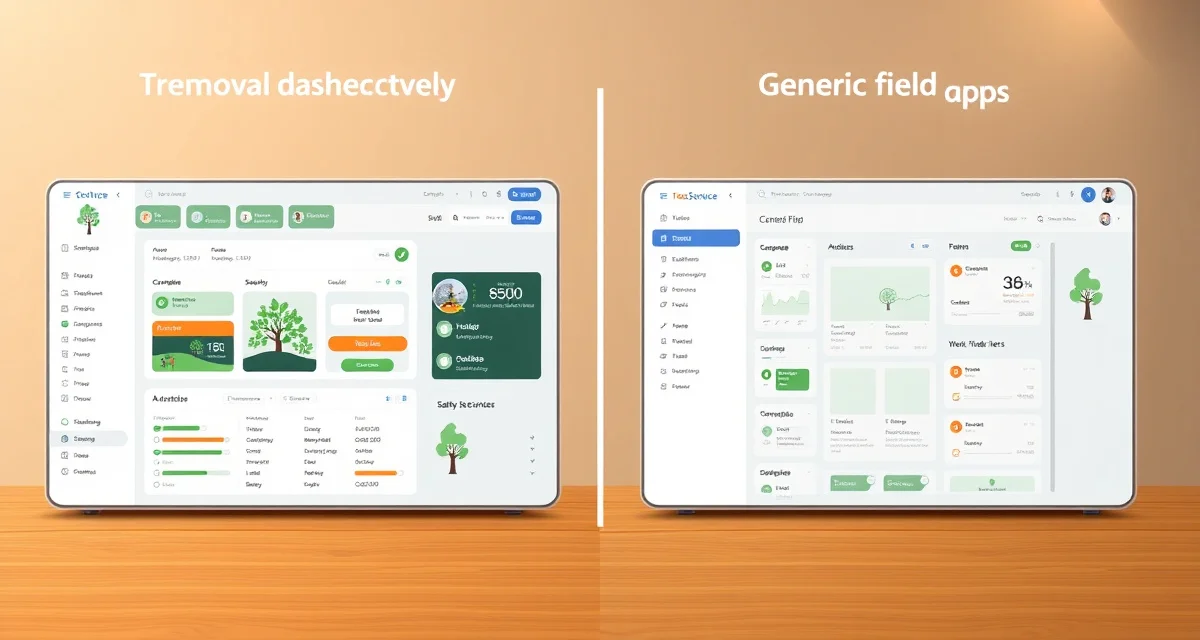
StumpIQ vs Jobber: Purpose-Built Tree Service vs General Field Service App
Jobber is used by an estimated 20,000+ field service companies — plumbers, electricians, landscapers, cleaners, and yes, some tree service companies. It wasn't built with tree service job types, ISA compliance, or ANSI safety requirements in mind. Tree companies on Jobber report building 3–5 manual workarounds to handle workflows the platform doesn't support natively.
Here's what that actually means in practice, and where the two platforms diverge.
TL;DR
- Evaluating Jobber against alternatives requires comparing actual feature depth, not just feature names.
- Key differentiators for tree service software are AI quoting speed, mobile app performance, and compliance automation.
- Jobber and StumpIQ differ primarily in AI quoting capability, storm response tools, and compliance automation.
- Total cost of ownership includes subscription fees, per-user charges, setup time, and manual workaround time.
- Migrating customer data between platforms typically takes 1-2 days with a CSV export from the old system.
TL;DR Verdict
Choose StumpIQ if: You run a tree-focused company that quotes frequently in the field, has ISA-certified crew members, works storm season, or needs ANSI Z133 compliance. You want a platform built for arboriculture, not general trades.
Choose Jobber if: You're an early-stage operator who needs basic scheduling and invoicing at minimal cost, and you're not yet running multiple crews or dealing with complex compliance requirements. Jobber's $49/mo entry tier is a reasonable starting point for very simple operations.
Side-by-Side Comparison
| Feature | StumpIQ | Jobber |
|---|---|---|
| AI Photo-to-Quote | Yes | No |
| Tree-Specific Job Types | Pre-built | Manual setup |
| ISA Certification Tracking | Automated | No |
| ANSI Z133 Checklists | Built into dispatch | No |
| Storm Surge Forecasting | Yes | No |
| Real-Time GPS Dispatch | Yes | Basic |
| Species Identification | Yes | No |
| Equipment Tracking | Yes | No |
| Customer Photo Booking | Yes | No |
| Starting Price | $149/mo | $49/mo |
The Price Gap — And Why It's Misleading
Jobber starts at $49/mo, which is $100/mo less than StumpIQ's entry tier. That looks significant until you do the actual comparison.
Jobber's $49 tier (Core) includes one user, basic scheduling, invoicing, and client management. To add GPS tracking, you need the Connect tier at $99/mo. To get online booking, it's the Grow tier at $249/mo. And none of these tiers add AI quoting, ISA tracking, or ANSI compliance — those don't exist in Jobber at any price.
So the realistic comparison for a tree company that needs GPS dispatch and online booking is $249/mo for Jobber vs. $149–299/mo for StumpIQ with significantly more tree-specific functionality.
What You Lose With Jobber for Tree Service
No AI Quoting
This is the biggest gap. In a market where responding within an hour wins the bid 63% of the time, manual estimating is a competitive disadvantage. Jobber has no photo-based job identification, no AI estimate generation, no species recognition. Every quote is manual from start to finish.
No ISA Compliance Integration
Jobber has no concept of ISA certifications, renewal dates, or CEU requirements. You're tracking that in a spreadsheet alongside Jobber, which means two systems and two failure points.
No ANSI Z133 Safety Checklists
The safety workflow doesn't exist in Jobber. Pre-job checklists, incident logging, equipment inspection tracking — none of it. For companies with commercial clients or insurance requirements that reference ANSI Z133, this is a gap you'll be filling with paper forms.
No Storm Forecasting
Jobber's dispatch is a flat job list. There's no weather integration, no surge forecasting, no priority scoring during emergency events. If you operate in the Southeast, Gulf Coast, or any storm-prone corridor, this is a real limitation during your peak revenue season.
Where Jobber Works for Tree Companies
To be fair: Jobber's scheduling, invoicing, and client communication are genuinely solid. For a solo operator doing straightforward residential work who doesn't need compliance tracking or AI features, Jobber's Core or Connect tier is functional and affordable.
The companies where Jobber works long-term for tree service are those doing low-complexity work — mostly trimming, light removals, routine maintenance — without commercial clients, ISA compliance requirements, or significant storm work. As soon as any of those factors come into play, the workarounds accumulate.
The Workaround Tax
Tree companies on Jobber typically end up maintaining:
- A separate quoting tool or spreadsheet for estimates
- A separate spreadsheet for ISA certifications
- A paper-based ANSI safety checklist system
- Manual storm demand tracking
Each of those is time someone is spending managing a system instead of working. The total cost — in staff time, error rate, and missed compliance — often exceeds the $100–150/mo cost difference between Jobber and a purpose-built platform.
Get Started with StumpIQ
Choosing between Jobber and StumpIQ comes down to which platform better fits your specific operational needs. StumpIQ's AI quoting, storm dispatch, and compliance tools are purpose-built for tree service. A direct feature comparison or demo is the most efficient way to evaluate the fit.
FAQ
Is Jobber good for tree service companies?
Jobber handles scheduling, invoicing, and basic field service management competently. For tree service specifically, it's a functional but limited option — it wasn't designed for arborist workflows, which means no AI quoting, no ISA compliance, no ANSI safety checklists, and no storm forecasting. Early-stage operators doing basic residential work can make it work. As soon as you're running multiple crews, quoting complex jobs, carrying ISA credentials, or working commercial clients with compliance requirements, you'll find yourself building workarounds for things a purpose-built platform handles automatically.
What does Jobber lack for arborist businesses?
The core gaps: no AI photo-to-quote (every estimate is manual), no ISA certification tracking or renewal alerts, no ANSI Z133 compliance workflow, no storm surge forecasting, and no tree-specific job types or species identification. These aren't features Jobber plans to add — they're outside the platform's scope as a general field service tool. Tree companies that need these capabilities typically combine Jobber with separate tools, adding cost and complexity that often exceeds what a purpose-built alternative would cost.
How much more does StumpIQ cost compared to Jobber?
At the entry tier, StumpIQ's Solo plan at $149/mo is $100/mo more than Jobber's Core at $49/mo. But the realistic comparison for a company that needs GPS dispatch and online booking is Jobber Grow at $249/mo vs. StumpIQ Professional at $299/mo — a $50/mo difference. StumpIQ Professional includes AI photo-to-quote, ISA compliance tracking, ANSI checklists, storm forecasting, and equipment tracking that aren't available in Jobber at any price. If those features replace even one additional tool you'd otherwise buy, the cost difference disappears.
What is the most important factor when comparing Jobber to StumpIQ?
The most important factors depend on your specific operational needs. If field quoting speed is a priority, AI photo-to-quote is the defining differentiator -- StumpIQ has it, Jobber does not. If compliance documentation for TCIA or insurance purposes matters, verify which platform generates audit-ready records automatically. If storm response is a revenue driver, storm dispatch tools are the key comparison point.
How do you evaluate tree service software without a long free trial?
The most useful evaluation approach is: define your top 3 pain points with your current workflow, ask each vendor to demonstrate those specific scenarios (not a generic demo), ask for references from companies similar in size and market, and check Capterra and G2 for patterns in user reviews. A 30-day trial with real job data is the most reliable test.
What data can you migrate when switching tree service software?
Most platforms accept CSV imports of customer records including contact information, service history, and job notes. Equipment records and pricing templates typically need to be rebuilt in the new system. Compliance records and historical job data may not transfer in a usable format. Plan for a 1-2 week parallel operation period during a switch.
Try These Free Tools
Sources
- Tree Care Industry Association (TCIA)
- International Society of Arboriculture (ISA)
- Capterra (software review platform)
- G2 (software review platform)