How to Manage Tree Service Crews Without Calling Every Hour
Tree service managers spend an average of 2.8 hours per day on crew check-in calls that GPS-enabled dispatch software eliminates. That's not a small number — it's 14 hours per week, 56 hours per month, that a manager is spending on calls whose only purpose is to answer "where are you and what's your status." With the right setup, that information is on a screen instead of in a phone call.
Here's the system that replaces the phone tag.
TL;DR
- Tree service companies that adopt purpose-built software reduce administrative time by an average of 5-8 hours per week.
- AI photo-to-quote converts a field photo to a priced proposal in under 2 minutes -- compared to 30-45 minutes for manual estimates.
- ANSI Z133 compliance documentation created automatically in the field reduces insurance audit preparation time.
- ISA certification tracking prevents lapses that affect eligibility for municipal, utility, and commercial contracts.
- GPS dispatch with route optimization saves 15-20% of daily drive time for multi-crew operations.
Step 1: Set Up Live GPS Visibility for Every Crew
You can't manage what you can't see. The foundation of efficient crew management is a dispatch board that shows every crew's current location in real time — not their last reported location from a check-in call, but actual live GPS updated continuously.
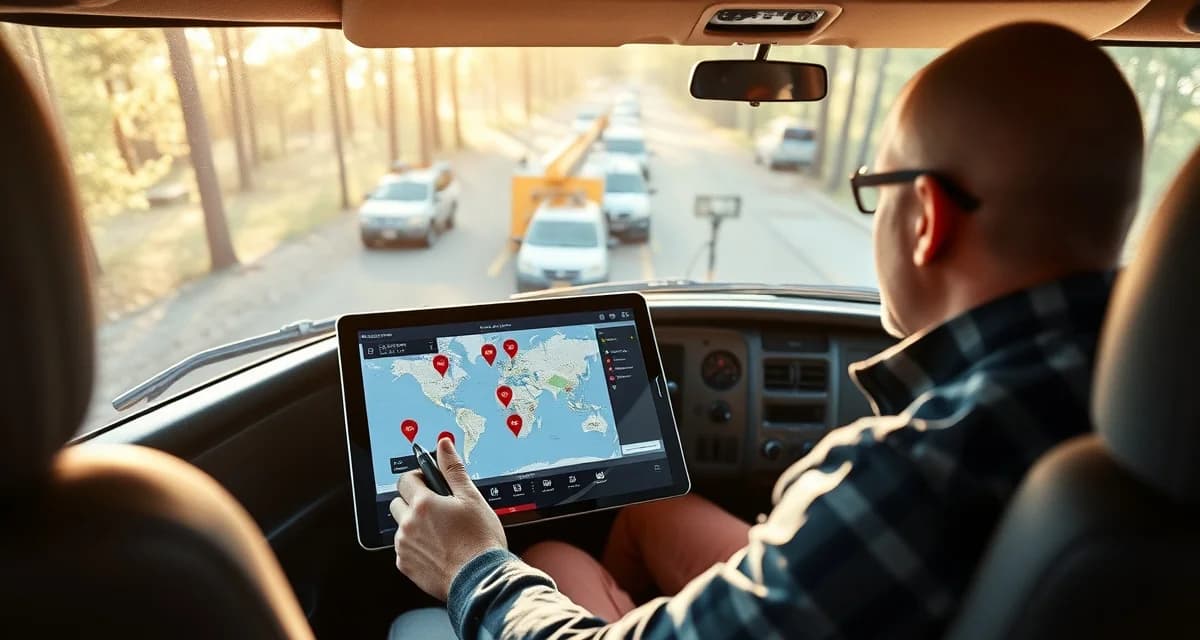
StumpIQ's live crew board does this natively. Each crew lead's phone GPS feeds the dispatch map. Dispatchers see every crew's current location, direction, and whether they're en route, on-site, or returning.
What this eliminates: the "where are you" call. Your dispatcher looks at the board instead of picking up the phone.
Setup requirement: Every crew lead needs the app installed and location sharing enabled. This is a 5-minute setup per person on their first day.
Step 2: Implement Job Stage Updates
GPS tells you where crews are. Job stage tracking tells you what they're doing. Set up a simple stage workflow that crew leads update from their phones:
- Assigned: Job in the queue, crew notified
- En route: Crew is driving to the job site
- On-site: Crew has arrived and started work
- Cleanup: Main work complete, crew cleaning up
- Complete: Crew is done and available
When a crew lead taps "On-site," your dispatcher sees it instantly. When they tap "Complete," the next job can be pushed immediately. No call required to hand off the next assignment.
The key is making stage updates faster than a call. In StumpIQ, it's one tap. If it takes more than 10 seconds, crew leads won't do it consistently.
Step 3: Push Job Assignments to Crew Phones
Stop calling crews to tell them where to go next. Set up your dispatch system to push new assignments directly to crew leads' phones.
When a crew marks a job complete, the next assignment appears in their app automatically. They see the job address, the scope, any site notes, and the customer contact information. They tap "En route" and go.
This change alone eliminates 80% of outbound dispatch calls. The dispatcher doesn't need to call because the crew lead already has the information.
Step 4: Build Your Pre-Job Checklist Workflow
Before any crew starts a job, they should be completing an ANSI Z133 pre-job safety checklist. Build this into the job start flow — not as a separate process, but as the thing that happens before the crew taps "On-site."
In StumpIQ, the pre-job checklist is embedded in every dispatched job. The crew lead opens the job in the app, completes the checklist (2–3 minutes), and then the "On-site" button becomes available. This creates compliance documentation automatically without adding a separate step.
Step 5: Replace Status Meetings With Dashboard Reviews
Instead of calling crews for status or running end-of-day debriefs to understand what happened, review the dashboard. StumpIQ's dispatch board shows:
- Which jobs completed today
- Time on each job vs. estimate
- Any jobs that overran and by how much
- Crew GPS history for the day
A 10-minute dashboard review tells you more than a 30-minute status meeting. Save the meeting time for problems the data surfaces rather than for collecting the data itself.
Step 6: Handle Off-Route Situations Without Calling
When a crew goes somewhere unexpected — stops for materials, detours due to traffic, takes a different route — your GPS visibility handles this without intervention. You see it on the map. If the deviation is a problem, you can reach out via in-app message rather than a phone call.
More importantly, if you see a crew sitting somewhere unexpected for 20 minutes, you have the information to ask about it specifically rather than calling to ask vaguely "how's it going."
Common Mistakes in Tree Crew Management
Building accountability into calls instead of data: If your only check on crew performance is whether they answer when you call, you don't actually have crew accountability — you have call-response tracking.
Not establishing stage update expectations upfront: Crew leads who understand why stage updates matter (so the dispatcher doesn't call them) update consistently. Crew leads who just get told "update the app" often don't. Explain the connection.
Managing exceptions instead of systems: Spending your management time on the daily exceptions — the crew that's late, the job that ran over — means you're not building the system that makes those exceptions less frequent.
Underusing job time data: When jobs consistently take longer than estimated, it's a pricing or estimating problem, not just a crew problem. GPS and time data tells you where your estimates are systematically off.
Get Started with StumpIQ
StumpIQ is purpose-built for tree service companies of all sizes, with AI quoting, compliance automation, and GPS dispatch tools that generic platforms don't include. If you are evaluating software for your operation, StumpIQ is a useful starting point for comparison.
FAQ
How do I know where my tree crews are without calling them?
Live GPS tracking through your dispatch software. StumpIQ shows every crew lead's current GPS location on a map, updated continuously. Dispatchers see where every crew is at any moment without any communication from the crews themselves. The only setup required is that crew leads have the app installed and location sharing enabled. After that, you're watching a live map instead of making check-in calls.
What is the best way to track crew progress on tree jobs?
Job stage tracking combined with GPS. Crew leads tap stage updates (en route, on-site, cleanup, complete) in the app as they move through a job. Combined with GPS location, this tells dispatchers exactly what each crew is doing and where they are at all times. StumpIQ's dispatch board shows both simultaneously — location on the map plus stage indicator per crew. The goal is to make stage updates fast enough (one tap) that crew leads do them automatically as part of their workflow.
How do I handle a crew that goes off-route during a job day?
GPS visibility means you see it as it happens rather than finding out during a status call. When you see a deviation on the map, you have specific information to work with — you can check whether it's on the route to a job, near a materials supplier, or somewhere unexpected. If it needs attention, a quick in-app message is less disruptive than a call for both you and the crew lead. The data also helps you address patterns — if a particular crew consistently deviates from routes, you have documentation for a direct conversation rather than a vague concern.
What makes tree service software different from generic field service platforms?
Tree service software is built around arborist-specific workflows: AI species identification for field quoting, ANSI Z133 safety checklists, ISA certification tracking, storm demand forecasting, and hazard-level job classification. Generic field service platforms can be configured to approximate these workflows, but doing so requires weeks of manual setup and still produces a less accurate result for tree-specific job types.
How do tree service companies evaluate software before buying?
The most effective approach: identify your top 3 operational pain points, ask vendors to demonstrate those specific scenarios in a live demo, check user reviews on Capterra and G2 for patterns, and request a trial period to test with real job data. Ask specifically about mobile performance in the field, since most tree service work happens away from the office.
What is the ROI of tree service software for a small company?
For a 2-3 crew operation, purpose-built tree service software typically recovers its cost through: faster quoting that wins more bids, invoicing on the day of job completion rather than days later, reduced administrative hours, and fuel savings from route optimization. Most companies report positive ROI within 60-90 days of full adoption.
Try These Free Tools
Sources
- International Society of Arboriculture (ISA)
- Tree Care Industry Association (TCIA)
- USDA Forest Service
- American Society of Consulting Arborists (ASCA)