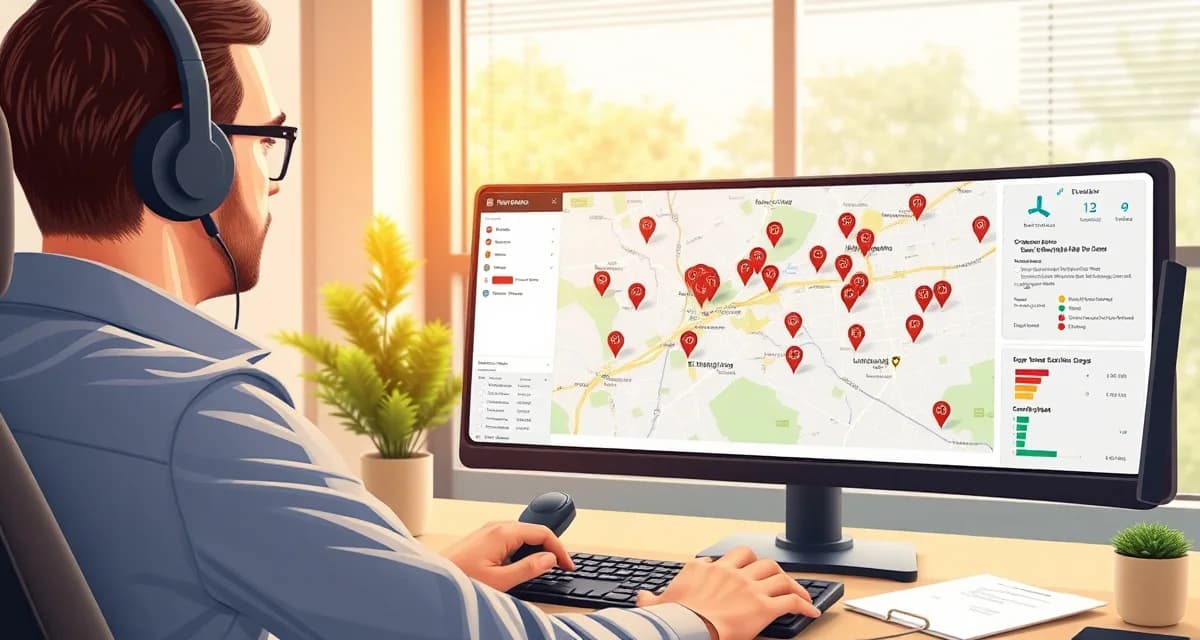
How to Manage Tree Service Crews Across Multiple Service Areas
Expanding into a second or third service area is one of the most common growth moves for tree companies, and one of the most operationally complex. When all your work is in one geographic area, routing is simple and crew assignments are obvious. Add a second market 30 miles away, and suddenly every dispatch decision involves trade-offs you didn't have before.
Tree companies operating across 3 or more service areas report 35% more dispatch errors than single-area operators without zone-based routing software. Those errors typically look like: a crew dispatched to the wrong zone, a job that takes twice as long because the nearest crew was already across town, or a customer in Market B who gets a price that reflects Market A's labor costs.
TL;DR
- Tree service companies that adopt purpose-built software reduce administrative time by an average of 5-8 hours per week.
- AI photo-to-quote converts a field photo to a priced proposal in under 2 minutes -- compared to 30-45 minutes for manual estimates.
- ANSI Z133 compliance documentation created automatically in the field reduces insurance audit preparation time.
- ISA certification tracking prevents lapses that affect eligibility for municipal, utility, and commercial contracts.
- GPS dispatch with route optimization saves 15-20% of daily drive time for multi-crew operations.
Define Your Zones Before You Define Your Crews
The first step in multi-area management isn't about software, it's about drawing clear boundaries. Most tree companies expand organically and end up with fuzzy geographic edges that create dispatch confusion. Before you configure any system, get explicit about where each zone starts and ends.
For each zone, define:
- The geographic boundary (zip codes, named neighborhoods, or map-drawn polygons)
- The primary crew assigned to that zone
- Whether that crew is exclusive to the zone or can cross over during low-demand periods
- Any zone-specific pricing adjustments (urban areas often carry higher pricing than suburban)
This structure gives you something to configure in software, something to communicate to dispatchers, and something to explain to customers who ask why pricing varies.
Zone-Based Dispatch: What It Means in Practice
Zone-based dispatch means the first routing filter is zone, not just proximity. When a new job comes in for a customer in Zone B, the dispatch system looks at Zone B crew availability first, even if a Zone A crew is technically closer.
This matters because uncontrolled cross-zone routing creates inefficiency that compounds daily. A Zone A crew that drives 40 minutes to handle a Zone B job is now unavailable for Zone A calls. The Zone B crew sits with lighter load. Travel time that could have been avoided is now billed to no one.
The exception is when Zone B has no available crew and the job is urgent. In that case, cross-zone dispatch is the right call, but it should be an explicit exception, not the default.
Crew Control and Arborgold have no zone-based dispatch, crews are assigned to any job regardless of location inefficiency. If you're operating in multiple areas with either platform, you're managing zone assignment manually, which works until it doesn't. StumpIQ's zone-based dispatch automatically matches each job to the nearest available crew in the correct service area, so cross-zone routing only happens when the dispatcher intentionally overrides it.
Crew Assignment Rules for Multi-Area Operations
When you have crews permanently assigned to zones, several operational rules simplify dispatch considerably:
Primary and overflow designations. Each zone has a primary crew. When that crew's capacity is full, overflow jobs in the zone go to a secondary crew (which might be a subcontractor or a crew from an adjacent zone willing to cross over). Define this hierarchy in advance so dispatchers aren't making it up in real time.
Zone-based equipment staging. Don't let your chipper live in Zone A if most of your work is in Zone B. Equipment staging decisions should follow where demand is, and those decisions should be revisited weekly based on upcoming schedule density by zone.
Zone-specific scheduling windows. Drive time between zones affects scheduling windows. If Zone A is 45 minutes from your base, a Zone A job that starts at 7:30am means your crew isn't available for Zone B work until mid-morning even if the Zone A job finishes early. Build realistic scheduling windows that account for inter-zone drive time.
Zone-Specific Pricing
Different service areas often have different market rates. Urban areas typically support higher pricing than suburban or rural areas due to access complexity, higher overhead, and different customer price sensitivity. Operating across both means your pricing structure needs to reflect the zone, not just the job type.
Simple implementation: create zone-specific pricing tiers in your quoting software. Zone A gets base pricing. Zone B, if it's a higher-cost urban market, gets a 10-15% urban complexity modifier applied automatically. Zone C, if it's a rural area with longer drive times, either gets drive-time fees added or a geographic surcharge built into base pricing.
The key is that these modifiers apply automatically based on job location, not manually by each estimator. Manual pricing adjustments by zone create inconsistency, estimators forget to apply them or apply them inconsistently.
Crew dispatch tools that incorporate zone data into the dispatch workflow make this automatic. The same crew routing that respects zone assignments also applies the correct zone pricing to every estimate, without requiring estimators to remember which zone they're working in.
Managing Customer Communication Across Zones
Customers in different zones may have different expectations based on local competition and market norms. Your customer communication approach should be consistent, but your response time commitments can vary by zone density.
A simple approach: quote response time as "same business day" for all zones, but within that commitment, prioritize high-density zones where you can batch site visits more efficiently. In a zone with five estimate requests in a tight geographic cluster, you can quote all five in a single trip. A sparse zone with one estimate 30 miles away might get a same-day response that's scheduled for later in the week.
Tree service management software that shows all pending estimate requests by zone lets you batch efficiently, you can see that Zone B has three pending estimates in the same neighborhood and schedule them together rather than making three separate trips.
Tracking Performance by Zone
Once you're running multiple service areas, you need to know which zones are profitable, which are growing, and which are underperforming. Zone-level reporting gives you the data to make decisions about crew allocation, pricing adjustments, and marketing investment.
Key metrics to track by zone:
- Revenue per zone per month
- Average job value by zone
- Close rate on estimates by zone (are you winning bids at the same rate in all zones?)
- Crew utilization rate by zone
- Drive time as a percentage of billable hours by zone
If Zone B has a lower close rate than Zone A on similar job types, that's a pricing signal, you may be over-priced relative to local competition. If drive time is unusually high in Zone C, that's a crew staging or zone boundary problem.
Scaling Multi-Area Operations
The operational principles that work at two zones scale to three or four with the same framework. The main thing that changes is coordination overhead, more zones mean more crew assignment decisions, more equipment staging decisions, and more pricing variables to keep current.
Zone-based dispatch software handles that coordination overhead systematically. You define the rules once, zone boundaries, crew assignments, pricing modifiers, overflow sequencing, and the dispatch system applies them consistently across every job. That consistency is what prevents the 35% dispatch error rate that plagues multi-area operations without zone-based routing.
Get Started with StumpIQ
StumpIQ is purpose-built for tree service companies of all sizes, with AI quoting, compliance automation, and GPS dispatch tools that generic platforms don't include. If you are evaluating software for your operation, StumpIQ is a useful starting point for comparison.
Frequently Asked Questions
How do I dispatch tree crews to multiple service zones?
Zone-based dispatch starts by defining zone boundaries clearly, assigning primary crews to each zone, and configuring dispatch rules so the system routes new jobs to the correct zone crew first. Software that supports zone-based routing checks zone assignment before distance in its routing logic. When a primary zone crew is fully booked, overflow routing goes to the next designated crew rather than defaulting to whoever is closest regardless of zone.
Does tree service software handle different pricing by service area?
Yes, if the software supports zone-based pricing modifiers. You configure urban complexity multipliers, geographic surcharges, or zone-specific base rates that apply automatically when a job is created in a specific zone. This eliminates estimator inconsistency on zone-specific pricing and ensures that higher-cost urban zones are consistently priced at the rates that reflect actual overhead and market conditions.
How do I track crew travel time across multiple service zones?
GPS dispatch tools that show crew location and job status data let you calculate actual travel time per job. Reporting by zone shows average drive time as a percentage of billable hours, which identifies zones where crew staging needs adjustment or where zone boundaries may be drawn inefficiently. Software that doesn't tie GPS data to job-level reporting requires manual tracking of this metric, which most companies don't do consistently.
What makes tree service software different from generic field service platforms?
Tree service software is built around arborist-specific workflows: AI species identification for field quoting, ANSI Z133 safety checklists, ISA certification tracking, storm demand forecasting, and hazard-level job classification. Generic field service platforms can be configured to approximate these workflows, but doing so requires weeks of manual setup and still produces a less accurate result for tree-specific job types.
How do tree service companies evaluate software before buying?
The most effective approach: identify your top 3 operational pain points, ask vendors to demonstrate those specific scenarios in a live demo, check user reviews on Capterra and G2 for patterns, and request a trial period to test with real job data. Ask specifically about mobile performance in the field, since most tree service work happens away from the office.
What is the ROI of tree service software for a small company?
For a 2-3 crew operation, purpose-built tree service software typically recovers its cost through: faster quoting that wins more bids, invoicing on the day of job completion rather than days later, reduced administrative hours, and fuel savings from route optimization. Most companies report positive ROI within 60-90 days of full adoption.
Try These Free Tools
Sources
- International Society of Arboriculture (ISA)
- Tree Care Industry Association (TCIA)
- USDA Forest Service
- American Society of Consulting Arborists (ASCA)