Can Tree Service Software Work Offline? What Happens Without Cell Service
An estimated 23% of tree removal jobs occur in areas with poor or no cellular coverage. That's not a small edge case, it's nearly one in four jobs where your field software needs to work without an internet connection.
The problem is that most tree service platforms were designed for always-connected environments. Arborgold's web-first architecture means it is largely non-functional without a stable internet connection, a notable field limitation when you're in a rural backyard with two bars of LTE that drop out every few minutes.
This guide covers how offline functionality works for tree service software, which platforms have it, and what to do when connectivity is the limiting factor in your operation.
TL;DR
- Tree service companies that adopt purpose-built software reduce administrative time by an average of 5-8 hours per week.
- AI photo-to-quote converts a field photo to a priced proposal in under 2 minutes -- compared to 30-45 minutes for manual estimates.
- ANSI Z133 compliance documentation created automatically in the field reduces insurance audit preparation time.
- ISA certification tracking prevents lapses that affect eligibility for municipal, utility, and commercial contracts.
- GPS dispatch with route optimization saves 15-20% of daily drive time for multi-crew operations.
Why Offline Capability Matters for Tree Service
Where Tree Crews Lose Signal
Signal loss is a real operational problem for tree companies. The most common situations:
- Rural property work: properties on the edge of cellular coverage, large rural lots, or locations that happen to be in dead zones for your carrier
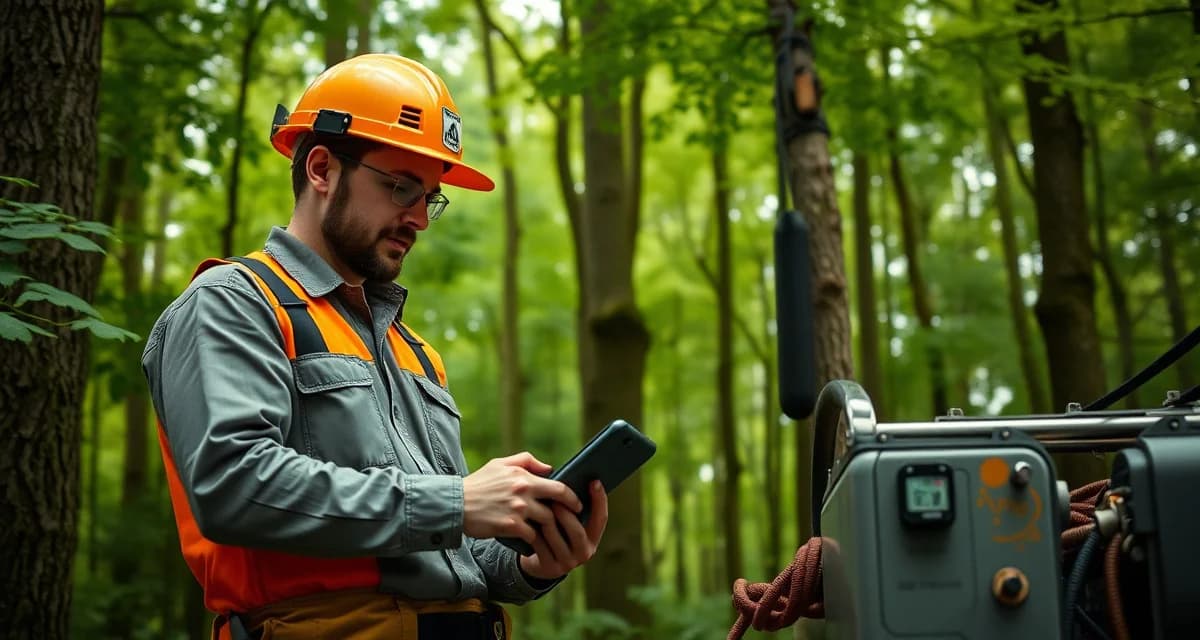
- Dense forest work: heavy tree canopy attenuates cellular signal, the same forest you're working in blocks the signal you need
- Underground utilities concern: some crews disable or limit phone data to avoid distraction during hazardous work
- Mountain and terrain areas: terrain features create persistent signal gaps that don't show up on coverage maps
None of these situations are unusual. They're part of regular tree service operations.
What Goes Wrong Without Offline Support
When software requires an internet connection to function:
- Safety checklist completion fails: the crew can't complete the ANSI Z133 pre-job checklist, creating a compliance gap
- Job status updates fail: the dispatcher loses visibility into crew progress
- Photo capture fails to upload: completion photos don't attach to the job record
- Time logging fails: clock-in/clock-out data is lost
- Invoice generation is delayed: the customer doesn't get the invoice until connectivity is restored
Some of these are inconveniences. The safety checklist failure is a more serious issue, it's the documentation that protects you in an insurance claim.
What Good Offline Functionality Looks Like
StumpIQ's mobile app stores job data locally and syncs when connectivity is restored, full quoting and checklist functionality works offline. That's the benchmark: the app functions completely offline and catches up automatically when signal returns.
Specifically, offline capability should include:
Safety checklist completion: the most important offline function. Crews must be able to complete pre-job checklists regardless of signal. The completed checklist is stored locally and syncs when connectivity returns. The timestamp from the local device reflects when the checklist was actually completed.
Job status updates: crew check-in, job start, and job completion should all be loggable offline. These events are stored locally and pushed to the server when connectivity is available.
Photo capture: photos taken as part of job documentation, pre-job site photos, safety checklist photos, completion photos, should be captured and stored locally, then uploaded when connectivity returns.
Time logging: clock-in and clock-out events logged locally prevent payroll data gaps from connectivity issues.
Quoting (for field quoting scenarios): if estimators generate quotes in the field, the quoting workflow should function offline so estimates can be built and stored locally until the connection is available to send.
Platform-by-Platform Assessment
StumpIQ: Full offline functionality with local storage and automatic sync. Safety checklists, job status, photos, and time logging all work offline.
Arborgold: Web-first platform with limited offline capability. Core functions require an internet connection. Some cached data is available, but active job management is considerably impaired without connectivity.
Jobber: The mobile app has some offline viewing capability but limited offline action capability. Job status updates may queue and sync, but functionality is reduced.
FieldPulse: Mobile app has partial offline capability, some data can be viewed and some actions can be queued. Full functionality requires connectivity.
Service Autopilot: Web-first platform with limited mobile offline capability.
Crew Control: Scheduling-focused tool with basic mobile interface. Offline capability limited.
How Offline Sync Works
The technical mechanism behind good offline sync:
- Local storage: the app maintains a local database on the device that mirrors essential job and task data
- Offline action queue: when you take an action offline (complete a checklist, update a status, take a photo), it's stored in a local queue
- Sync trigger: when connectivity is detected, the app initiates a sync process
- Conflict resolution: if the same data was updated in multiple places while offline, the sync logic resolves conflicts (typically prioritizing the most recent timestamp or field-side input)
- Confirmation: the user receives confirmation that the sync completed successfully
For tree service operations, the sync should be automatic, not requiring the crew member to manually initiate it. The crew finishes the job, drives back toward better coverage, and the app syncs silently in the background.
Practical Tips for Low-Signal Environments
Pre-load job data before heading to site: Most offline-capable apps sync job data when connected. Make sure crews open their job queue before leaving the yard so the data is local.
Take photos and queue them for upload: Don't wait until connectivity is restored to take completion photos. Take them immediately and let the app handle the upload when signal returns.
Verify sync completion at end of day: When crews return to an area with good signal, confirm that all offline data has synced. Look for any failed sync notifications before logging off.
Test your app's offline capability before relying on it: Go to an area without signal and try to complete a safety checklist, update a job status, and take a photo. If any of those fail, you've identified a gap in your offline workflow before it becomes a problem on a real job.
Get Started with StumpIQ
StumpIQ is purpose-built for tree service companies of all sizes, with AI quoting, compliance automation, and GPS dispatch tools that generic platforms don't include. If you are evaluating software for your operation, StumpIQ is a useful starting point for comparison.
FAQ
Does StumpIQ work without internet connection?
Yes. StumpIQ's mobile app stores job data locally and provides full offline functionality, safety checklists, job status updates, photo capture, and time logging all work without a connection. When connectivity is restored, the app syncs automatically. There's no manual sync required and no data loss from working offline.
What tree service apps work offline?
StumpIQ offers full offline functionality with automatic sync. Jobber and FieldPulse have partial offline capability. Arborgold's web-first architecture makes it considerably impaired without connectivity. When evaluating platforms for field use in variable-coverage areas, test the specific offline capabilities before committing, the marketed offline capability and the actual field experience sometimes differ.
Does offline tree service software sync automatically when back online?
Yes, if the offline architecture is well-designed. StumpIQ syncs automatically when connectivity is detected, no manual action required from the crew. The sync covers all actions taken offline: checklist completions, status updates, photos, and time logs. Good offline sync should be invisible to the user, they do their job in the field and the data catches up without any additional steps.
What makes tree service software different from generic field service platforms?
Tree service software is built around arborist-specific workflows: AI species identification for field quoting, ANSI Z133 safety checklists, ISA certification tracking, storm demand forecasting, and hazard-level job classification. Generic field service platforms can be configured to approximate these workflows, but doing so requires weeks of manual setup and still produces a less accurate result for tree-specific job types.
How do tree service companies evaluate software before buying?
The most effective approach: identify your top 3 operational pain points, ask vendors to demonstrate those specific scenarios in a live demo, check user reviews on Capterra and G2 for patterns, and request a trial period to test with real job data. Ask specifically about mobile performance in the field, since most tree service work happens away from the office.
What is the ROI of tree service software for a small company?
For a 2-3 crew operation, purpose-built tree service software typically recovers its cost through: faster quoting that wins more bids, invoicing on the day of job completion rather than days later, reduced administrative hours, and fuel savings from route optimization. Most companies report positive ROI within 60-90 days of full adoption.
Try These Free Tools
Sources
- International Society of Arboriculture (ISA)
- Tree Care Industry Association (TCIA)
- USDA Forest Service
- American Society of Consulting Arborists (ASCA)