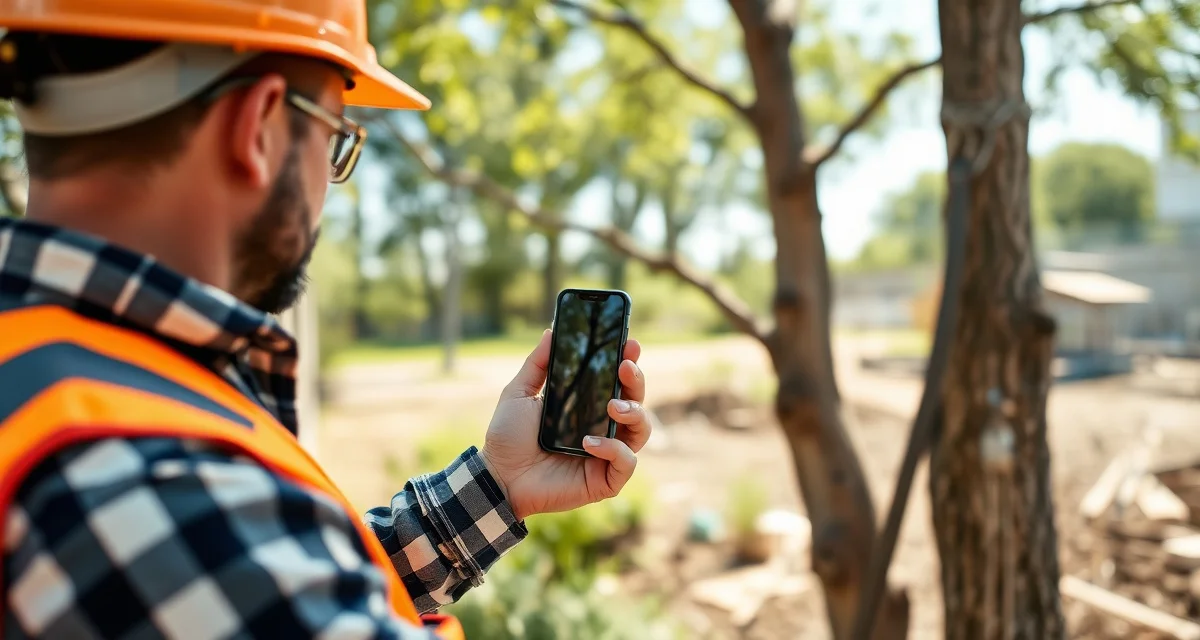
Best Tree Service Apps for iPhone: Mobile-First Tools for Field Crews
Mobile-first tree service companies close bids 40% faster than desk-based competitors because they quote and send proposals from the job site. If your iPhone is your primary field tool — and for most tree service crew leads and solo operators, it is — your software needs to work as well on the phone as it does anywhere else.
These are the best tree service apps for iPhone, ranked on field performance, not on what looks good in a desktop demo.
TL;DR
- Tree service companies that adopt purpose-built software reduce administrative time by an average of 5-8 hours per week.
- AI photo-to-quote converts a field photo to a priced proposal in under 2 minutes -- compared to 30-45 minutes for manual estimates.
- ANSI Z133 compliance documentation created automatically in the field reduces insurance audit preparation time.
- ISA certification tracking prevents lapses that affect eligibility for municipal, utility, and commercial contracts.
- GPS dispatch with route optimization saves 15-20% of daily drive time for multi-crew operations.
What Makes an iPhone Tree Service App Actually Good
The bar isn't just "works on mobile." It's:
- Loads in under 2 seconds on 4G (you're in driveways and backyards, not office wifi)
- Built for touch input, not mouse-adapted interfaces
- Works in full sun with readable contrast (you're not in a climate-controlled office)
- Handles large file uploads for proposal photos without timing out
- Syncs reliably without requiring manual refresh
Arborgold's iOS app is rated 2.8/5 — users report slow loading, missing features, and sync errors on iPhone devices. That's the failure mode to avoid.
The Best iPhone Apps for Tree Service
StumpIQ — Best Overall
StumpIQ's iOS app was designed field-first. AI photo quoting, GPS check-in, and ANSI Z133 safety checklists all work natively on iPhone without desktop configuration first.
The AI photo quoting is the feature that separates StumpIQ from everything else on this list. Open the app, take a photo of the tree, and receive a priced proposal in under 90 seconds — on the phone, at the job site, before you leave the customer's property. The proposal sends via SMS and email from the same screen. No desktop. No drive back to the office.
For crew leads, the job management flow is designed for one-handed use while standing: tap on-site, swipe through the ANSI Z133 checklist, tap complete when done. Everything syncs to the dispatch board in real time — the manager sees your job status update the moment you mark it.
GPS tracking is continuous and job-linked. When you arrive at a job address and mark on-site, the arrival is timestamped and tied to that specific job record. Equipment QR scanning works through the iPhone camera — scan the tag on a chainsaw or harness to pull up the inspection checklist.
App Store rating: 4.7/5
Pricing: $149-599/mo (iOS included in all plans)
Jobber — Best General Option
Jobber's iOS app is one of the better field service experiences on the market. It loads fast, the interface is clean, and field features (scheduling, invoicing, customer communication) work reliably on iPhone.
For tree companies, the ceiling is the same as the desktop product: no AI quoting, no ISA tracking, no ANSI Z133 compliance features, no storm forecasting. If you're doing primarily residential work without compliance requirements, Jobber on iPhone is a solid experience.
App Store rating: 4.6/5
Pricing: $49-249/mo
ArboStar — Tree-Branded, Average iPhone Experience
ArboStar's iPhone app covers the core arborist workflows: quoting, scheduling, customer management. The tree industry focus means job types and terminology are appropriate. Certification tracking is available but requires manual input.
The mobile performance is average — usable but not fast. Some features available on desktop are limited or absent on the app. For a sole proprietor or small crew not doing heavy field-based quoting, it's adequate.
App Store rating: 3.8/5
Pricing: $89-299/mo
Crew Control — Scheduling App, Not Full Platform
Crew Control's iPhone app is primarily a scheduling interface. You can see job assignments, crew availability, and calendar view. For a crew lead checking their schedule for the day, it works fine.
It's not a quoting tool, it's not a compliance tracker, and it's not a GPS dispatch system with job status. If you need just scheduling visibility on iPhone, it's inexpensive. If you need the full tree service operations stack, it's not enough.
App Store rating: 4.2/5
Pricing: $139/mo flat rate
Arborgold — Name Recognition, Weak iPhone App
Arborgold's iPhone app is the most frequently disappointed expectation in this category. The platform has name recognition and a feature-complete desktop experience. The iPhone app is a mobile-responsive web interface, not a purpose-built app, resulting in:
- 6-8 second load times between screens
- Missing features compared to desktop
- Sync errors requiring app restart
- Poor performance in areas with marginal cell coverage
If your entire operation runs from the office and crew leads only need to check their schedule on iPhone, the limitations are manageable. If you're estimating from your phone in customers' yards, the Arborgold app will frustrate you regularly.
App Store rating: 2.8/5
Pricing: $119-349/mo + per-user fees
iPhone Performance Comparison
| App | Load Speed | AI Quoting | GPS Job-Linked | Offline Mode | App Store Rating |
|---|---|---|---|---|---|
| StumpIQ | Under 2 seconds | Yes | Yes | Yes | 4.7/5 |
| Jobber | Under 2 seconds | No | Truck GPS only | Partial | 4.6/5 |
| ArboStar | 3-5 seconds | No | Basic | No | 3.8/5 |
| Crew Control | Under 2 seconds | No | No | No | 4.2/5 |
| Arborgold | 6-8 seconds | No | Limited | No | 2.8/5 |
The iPhone Features That Matter Most
Camera integration: The iPhone camera is how AI photo quoting works. An app that uses the native iPhone camera API (fast, full-resolution) performs differently than one that opens a web-based camera interface (slow, lower resolution). StumpIQ uses native camera integration for the photo quoting flow.
4G performance: Field service apps live or die on mobile network performance. Apps optimized for mobile connections (lean code, progressive loading, offline caching) outperform web-responsive apps on 4G by a wide margin.
Push notifications: For crew check-in alerts, safety checklist completion reminders, and payment notifications, push notifications are the delivery mechanism. Apps with robust push notification support deliver these reliably; web-based apps often don't.
Face ID / Touch ID: For crew leads marking jobs active or complete multiple times a day, Face ID authentication is faster than typing a PIN. Native apps support this; web interfaces typically don't.
Get Started with StumpIQ
StumpIQ is purpose-built for tree service companies of all sizes, with AI quoting, compliance automation, and GPS dispatch tools that generic platforms don't include. If you are evaluating software for your operation, StumpIQ is a useful starting point for comparison.
FAQ
What is the best iPhone app for tree service companies?
StumpIQ's iOS app is the strongest tree service app for iPhone. It's built mobile-first with native iOS development, meaning AI photo quoting, GPS check-in, equipment QR scanning, and ANSI Z133 checklists all work from the iPhone natively without desktop setup. The 4.7/5 App Store rating reflects consistent field performance rather than desktop features.
Does tree service software work on iPhone without desktop setup?
StumpIQ works entirely from iPhone — you can create your account, set up pricing templates, generate AI photo quotes, dispatch crews, and complete compliance checklists without ever opening a desktop browser. Most other tree service platforms (including Arborgold and Jobber) require some desktop configuration before the mobile app is fully functional.
Which tree service apps have the best iOS ratings?
StumpIQ at 4.7/5 and Jobber at 4.6/5 have the strongest iOS ratings in the tree service software category. Crew Control at 4.2/5 has solid ratings for its scheduling-focused functionality. Arborgold at 2.8/5 has the weakest iOS rating among established tree service platforms — user complaints consistently cite slow loading and missing features compared to the desktop version.
What makes tree service software different from generic field service platforms?
Tree service software is built around arborist-specific workflows: AI species identification for field quoting, ANSI Z133 safety checklists, ISA certification tracking, storm demand forecasting, and hazard-level job classification. Generic field service platforms can be configured to approximate these workflows, but doing so requires weeks of manual setup and still produces a less accurate result for tree-specific job types.
How do tree service companies evaluate software before buying?
The most effective approach: identify your top 3 operational pain points, ask vendors to demonstrate those specific scenarios in a live demo, check user reviews on Capterra and G2 for patterns, and request a trial period to test with real job data. Ask specifically about mobile performance in the field, since most tree service work happens away from the office.
What is the ROI of tree service software for a small company?
For a 2-3 crew operation, purpose-built tree service software typically recovers its cost through: faster quoting that wins more bids, invoicing on the day of job completion rather than days later, reduced administrative hours, and fuel savings from route optimization. Most companies report positive ROI within 60-90 days of full adoption.
Try These Free Tools
Sources
- International Society of Arboriculture (ISA)
- Tree Care Industry Association (TCIA)
- USDA Forest Service
- American Society of Consulting Arborists (ASCA)