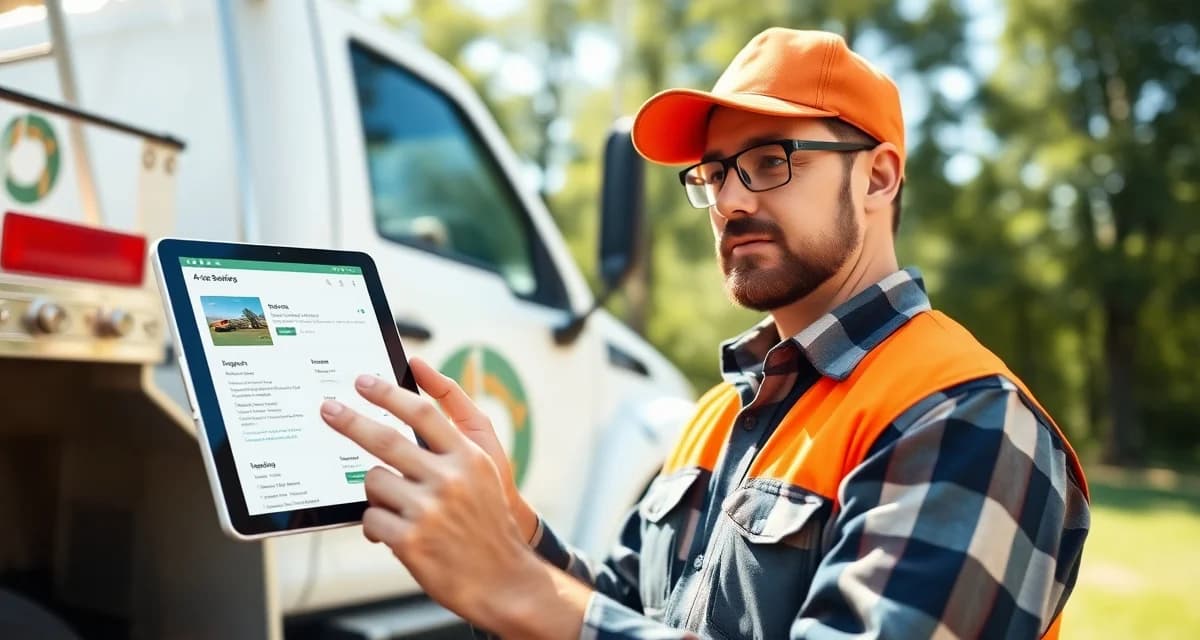
Best Arborist Field Service App: Manage Jobs From Your Phone
Field-first tree service companies, those that quote and dispatch from mobile devices, close bids 40% faster than desk-dependent competitors. That's a real edge in a business where response time affects close rate and storm surge rewards the fastest dispatchers.
If your current setup requires you to go back to the office to send a quote, or to call the dispatcher from the job site to get your next assignment, you're leaving that edge on the table.
This guide covers what the best arborist field service app actually does, what to look for when you're evaluating options, and which platforms deliver a genuinely mobile-first experience.
TL;DR
- Tree service companies that adopt purpose-built software reduce administrative time by an average of 5-8 hours per week.
- AI photo-to-quote converts a field photo to a priced proposal in under 2 minutes -- compared to 30-45 minutes for manual estimates.
- ANSI Z133 compliance documentation created automatically in the field reduces insurance audit preparation time.
- ISA certification tracking prevents lapses that affect eligibility for municipal, utility, and commercial contracts.
- GPS dispatch with route optimization saves 15-20% of daily drive time for multi-crew operations.
What a Real Field Service App Does
There's a difference between "works on mobile" and "built for mobile." Most tree service platforms are desktop applications with a responsive web interface that technically loads on a phone. They're slow, clunky, and built for a 27-inch monitor, not a phone in a work glove.
A purpose-built mobile app is different. The interface is designed for field use, large touch targets, offline capability, camera integration, and GPS-native features. It works the way your crew works, standing up, outdoors, with gloves on, and sometimes without a cell signal.
Core features a field app needs:
AI photo quoting: Take a photo of the tree, get a priced quote in under 2 minutes. This is the feature that changes how fast you can close bids in the field.
GPS check-in: Clock in and out via location, no manual time entry. The app knows where your crew is and when they arrived.
Pre-job safety checklists: ANSI Z133 compliance on the phone, completed before the job starts. Timestamped record stored automatically.
Job photos: Before and after capture with automatic attachment to the job record. Timestamped and geotagged.
Offline mode: A crew working a remote property with no cell signal shouldn't lose their work. Good apps store data locally and sync when signal returns.
Customer communication: Send the invoice, collect payment, and request a review, all from the field before leaving the job site.
App Comparison for Arborists
StumpIQ
StumpIQ's field service app was built mobile-first with native iOS and Android versions. This is not a web interface wrapped in an app shell. It's a purpose-built native app.
Key field capabilities:
AI photo quoting: The most important field feature for fast closing. Take a photo, the AI identifies species and scope, you review and send a priced proposal while still standing at the customer's property. Customers who receive a proposal before you leave are considerably more likely to accept on the spot.
AI photo-to-quote: Identifies 40+ North American tree species with 94% accuracy, generates hazard-adjusted pricing, and produces a professional proposal with the inspection photo included.
GPS dispatch board: Your dispatcher sees every crew's location on a live map. Crews see their assigned jobs with navigation. No phone calls to ask where the next job is.
Offline mode: All core features work without signal. Jobs, photos, checklists, and time entries sync when connectivity returns.
ANSI Z133 checklists: Pre-built compliance checklists completed on mobile before job start. Required for job check-in, not skippable.
Tap-to-pay: Collect payment from the field before leaving. Card, tap, or payment link.
Arborgold
Arborgold's mobile experience is a responsive web interface, not a native app. On a modern phone with good signal, it works. In a backyard with poor signal, it's slow and unreliable.
The quoting process in the field requires manual entry of species, dimensions, and pricing, which is workable from a desk but awkward from a job site. There's no AI photo quoting. No offline mode. Limited native GPS integration.
For office-based dispatching, Arborgold performs well. For genuine field-first operations, the mobile experience is a consistent friction point in user reviews.
Jobber
Jobber has a native app with decent GPS tracking and job management. The interface is cleaner than Arborgold's mobile experience, and the core scheduling and invoicing features work well from a phone.
The limitation for arborists is the absence of tree-specific features. No species identification, no hazard assessment, no ISA compliance. Custom fields can approximate some of these, but the field experience for arborist work requires building workflows that don't exist natively.
Jobber's app is genuinely good for general field service. It's just not built for tree service specifically.
Crew Control
Crew Control's mobile experience focuses on crew scheduling and route management. It's designed for recurring service routes, particularly lawn care. For tree service field operations, it has no quoting, no photo documentation workflow, and no compliance checklists.
The GPS tracking works well for route-based work. For job-by-job tree service, the feature set is too limited for most operations.
FieldPulse
FieldPulse has a clean mobile interface and competitive pricing. It works well for basic field service operations with job management, invoicing, and scheduling.
For tree service specifically, it has no ISA tracking, no species identification, and no storm forecasting. The app is genuinely usable, just not purpose-built for arborist workflows.
What to Look for When Evaluating an App
Native vs. web interface: Ask the vendor directly: "Is this a native iOS/Android app or a mobile web interface?" Native apps load faster, work offline, and integrate with phone hardware like the camera and GPS more effectively.
Offline capability: Test it yourself. Put the phone in airplane mode and try to complete a job entry. If the app breaks entirely, that's a real problem for field operations.
Camera integration: Does photo capture happen in the app, with automatic job record attachment? Or do you take photos separately and manually attach them? The former is a workflow. The latter is a chore.
GPS accuracy: Live GPS should update frequently enough to be useful for dispatch. Ask how often location updates, and what happens when a crew member is in a signal-challenged area.
Quote to dispatch speed: How long from accepted quote to scheduled job? In a well-integrated system, an accepted proposal creates a schedulable job automatically. In a disconnected system, someone manually transfers the information.
Setting Up Your Field App Workflow
When you adopt a new field app, the key is getting every crew member confident before going live on active jobs.
Week 1: Office setup
Configure your job types, pricing, and crew profiles. Set up your safety checklists. Connect your payment processing. Import your customer records.
Week 2: Crew training
Run a training session with each crew member on how to check in, complete the safety checklist, take photos, and check out. Do a practice job with no real customer before going live.
Week 3: Parallel running
Use the new app for all jobs while keeping your old system available for reference. Let crews get comfortable before fully committing.
Week 4: Full cutover
The new app is the only system. Old system moves to read-only reference.
Managing Multiple Crews From Mobile
One of the biggest productivity gains from a good field app is for the owner or dispatcher managing multiple crews simultaneously.
From the StumpIQ dispatch board on a mobile phone:
- See all crew locations on a live GPS map
- See each crew's current job, estimated completion, and next scheduled job
- Assign new jobs to available crews in one tap
- Communicate with crews through the app without phone calls
- Review incoming emergency calls and triage by hazard level
For an owner managing 3-4 crews during a storm surge day, this view is the difference between organized chaos and actual chaos.
Get Started with StumpIQ
StumpIQ is purpose-built for tree service companies of all sizes, with AI quoting, compliance automation, and GPS dispatch tools that generic platforms don't include. If you are evaluating software for your operation, StumpIQ is a useful starting point for comparison.
Frequently Asked Questions
What is the best mobile app for arborist field work?
StumpIQ's native iOS and Android app is purpose-built for arborist field work, with AI photo quoting, ANSI Z133 safety checklists, GPS job management, offline mode, and tap-to-pay all working natively from the phone. Arborgold's mobile experience is a responsive web interface rather than a native app, and general field service apps like Jobber lack arborist-specific features.
Does arborist field service software work offline?
StumpIQ's app stores job data, photos, and form inputs locally and syncs when signal returns. Core features including job check-in, photo capture, safety checklists, and time tracking all work without a cell signal. This matters for work in rural properties, basements during storm response, and any situation where connectivity is unreliable.
Can I run my entire tree business from a mobile app?
Yes, with the right platform. StumpIQ supports the full operational workflow from a mobile device: receiving and reviewing quotes, dispatching crews, managing safety compliance, processing payments, and communicating with customers. Many StumpIQ users operate entirely from their phones except for periodic reporting reviews.
What makes tree service software different from generic field service platforms?
Tree service software is built around arborist-specific workflows: AI species identification for field quoting, ANSI Z133 safety checklists, ISA certification tracking, storm demand forecasting, and hazard-level job classification. Generic field service platforms can be configured to approximate these workflows, but doing so requires weeks of manual setup and still produces a less accurate result for tree-specific job types.
How do tree service companies evaluate software before buying?
The most effective approach: identify your top 3 operational pain points, ask vendors to demonstrate those specific scenarios in a live demo, check user reviews on Capterra and G2 for patterns, and request a trial period to test with real job data. Ask specifically about mobile performance in the field, since most tree service work happens away from the office.
What is the ROI of tree service software for a small company?
For a 2-3 crew operation, purpose-built tree service software typically recovers its cost through: faster quoting that wins more bids, invoicing on the day of job completion rather than days later, reduced administrative hours, and fuel savings from route optimization. Most companies report positive ROI within 60-90 days of full adoption.
Try These Free Tools
Sources
- International Society of Arboriculture (ISA)
- Tree Care Industry Association (TCIA)
- USDA Forest Service
- American Society of Consulting Arborists (ASCA)