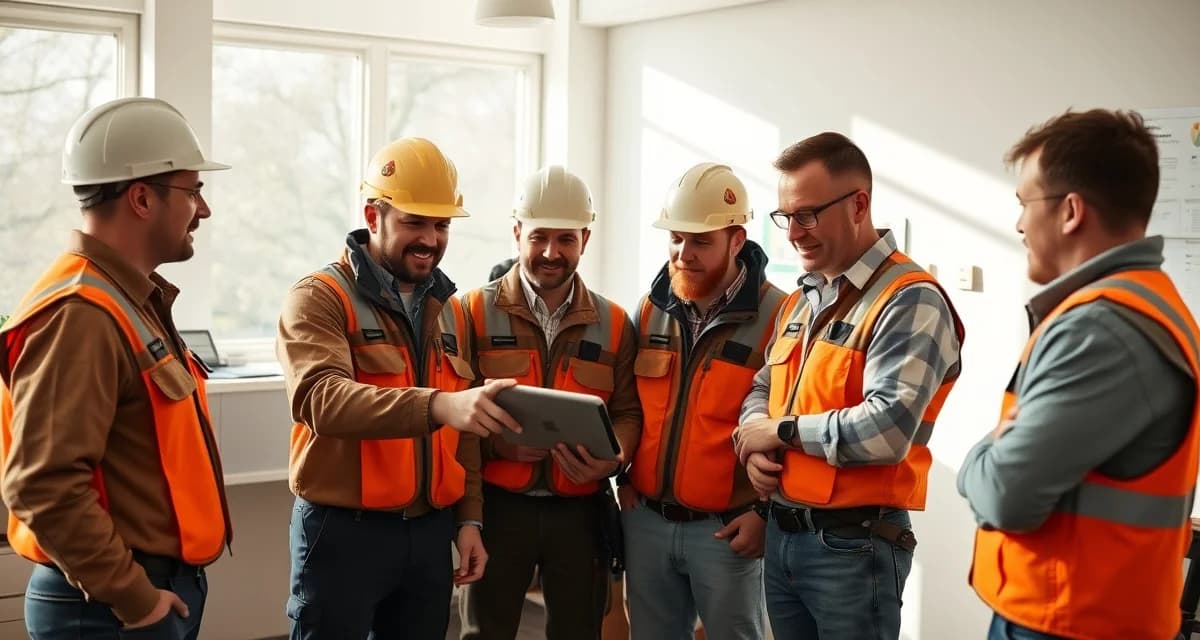
How to Get Tree Service Crews to Actually Use New Software
Companies that invest in structured crew software training achieve 94% adoption. Those that skip training see only 61% usage after 90 days. That gap, 33 percentage points, represents a large portion of the value you paid for evaporating because the people who need to use the software aren't using it consistently.
The challenge isn't that tree crews are resistant to technology. It's that most software adoption programs treat field crews like office workers who will read a manual and figure it out. Field crews don't work that way. They need to see it work, try it themselves on something real, and have the confidence that they won't break anything or fall behind on the job because the app doesn't load.
TL;DR
- Tree service companies that adopt purpose-built software reduce administrative time by an average of 5-8 hours per week.
- AI photo-to-quote converts a field photo to a priced proposal in under 2 minutes -- compared to 30-45 minutes for manual estimates.
- ANSI Z133 compliance documentation created automatically in the field reduces insurance audit preparation time.
- ISA certification tracking prevents lapses that affect eligibility for municipal, utility, and commercial contracts.
- GPS dispatch with route optimization saves 15-20% of daily drive time for multi-crew operations.
Why Crew Adoption Fails
Before jumping to training tactics, it helps to understand why crew adoption commonly fails on tree service platforms.
The complexity mismatch. Enterprise platforms like SingleOps and Aspire have interfaces built for office managers and dispatchers, not for a crew lead who needs to check in to a job, upload a photo, and mark it complete, all in 90 seconds while standing next to a running chipper. When the crew-facing interface requires five taps and three menus to accomplish a single check-in, crews stop using it.
The "watch me set it up" training failure. Many software rollouts involve a manager demonstrating the app while crew members watch. Watching someone use software teaches nothing. The only training that creates muscle memory is hands-on use.
No answer to "why should I bother." If the software makes the crew's job easier or better, they'll use it. If it only creates administrative tasks they didn't have before with no obvious benefit to them, they'll find reasons not to. Adoption training that doesn't address the crew's perspective on why the tool benefits them will always fight an uphill battle.
Fear of looking incompetent. Field crews are often skilled tradespeople who aren't comfortable asking for help with a phone app, especially in front of coworkers. If training creates any impression of judgment for struggling with the technology, crew members shut down rather than ask for help.
Choosing Software That Helps Adoption
Adoption is dramatically easier when the software is actually designed for field crews. StumpIQ's crew app takes under 3 minutes to learn, new crew members complete their first job check-in without any formal training. That's not marketing language; it's a design principle. Field crew interfaces should require no training to complete the most common tasks.
Before you invest in adoption training, evaluate whether the software you're rolling out is appropriate for field use. A crew-facing app should:
- Require fewer than 5 taps to complete the most common action (check-in or job start)
- Load within 3 seconds on standard cellular connections
- Work offline for basic functions and sync when connectivity returns
- Display job information clearly without requiring navigation through menus
- Allow photo upload from the camera app without switching between apps
If the app fails any of these criteria, your adoption challenge is a design problem, not a training problem.
Training Phase 1: The Demo That Builds Confidence
The first training session has one goal: show crew members that the app is simpler than they think it is and that they won't break anything by trying it.
Keep the first session to 15 minutes. Cover only the three or four actions crew members will do every day: clock in, check in to a job, upload photos, mark a job complete. Nothing else. Save scheduling, invoicing, and any administrative features for separate training with the staff who actually use those features.
Have every crew member do it themselves. Not watch, do. Use a test job or sandbox environment so there's nothing at stake. Each crew member taps through check-in to a test job and marks it complete. Most people can do this in under 3 minutes when the app is well-designed.
Answer questions by showing, not explaining. "How do I add a photo?" should be answered by handing the phone back and saying "tap the camera icon and try it", not by explaining where the camera icon is.
End with a real commitment. "Starting tomorrow, check in through the app when you arrive at the job. That's all I'm asking for this week." One behavior, one week. Don't introduce the full feature set until the first behavior is established.
Training Phase 2: Building the Habit
The first week after initial training is the highest-risk period for adoption failure. Crew members will try the app, encounter something that confuses them, and if there's no immediate help available, they'll revert to old behavior.
Build in a check-in point. At the end of day three, spend 10 minutes with each crew either in person or by phone: "How's the app working? Any issues?" If problems come up, fix them in the moment rather than adding them to a list. Small frictions that go unaddressed in week one become permanent excuses not to use the software.
Use social pressure wisely. When one crew member is using the app consistently and another isn't, a brief conversation about what the holdout crew member specifically finds difficult is more useful than pressure. Almost always, there's a specific thing that's confusing them. Fix the specific thing.
Celebrate early wins. The first week a crew member uses the app to complete every job check-in without prompting deserves acknowledgment. "Crew B had 100% check-in rate this week" costs nothing to say and reinforces the behavior for the whole team.
Training Phase 3: Adding Features
Once daily check-in is established (typically 2-3 weeks after initial training), introduce the next most valuable crew-facing feature. This is usually photo documentation, before and after photos attached to the job record.
Apply the same pattern: demonstrate once, have each crew member do it themselves on a real or test job, get one committed behavior ("take before photos when you arrive at the job starting next week"), and do a follow-up check on day three.
Features to introduce in sequence, spaced 2-3 weeks apart:
- Job check-in (week 1)
- Job documentation photos (week 3-4)
- Time tracking or job close workflow (week 5-6)
- Any job-specific data entry relevant to your operation
Tree service management software that sequences features this way, starting with the simplest crew-facing actions and building from there, achieves lasting adoption. Crew dispatch tools that crews actively use create the operational data (location, job status, documentation) that makes the whole system work. If crews don't use the dispatch app consistently, dispatchers are back to calling crews for updates.
Maintaining Adoption Over Time
Software adoption isn't a one-time event. Crew turnover, feature updates, and drift back to old habits all chip away at adoption rates over time.
Onboard new crew members systematically. New hires should get the same 15-minute app training on their first day, not two weeks in when they've already developed habits without the software. Make app training part of the onboarding checklist.
Revisit adoption metrics quarterly. Check-in rate, photo documentation rate, and job completion rate in the app are all measurable. If any metric drops below 90%, it's a signal to investigate, is there a new friction point? A feature update that changed a workflow? A crew lead who stopped reinforcing the behavior?
Respond to legitimate feedback. If crews consistently tell you that a specific feature is confusing or creates friction, take that seriously. The best field software teams actively solicit crew feedback and update interfaces based on it. If your software vendor isn't responsive to usability feedback, that's information about your long-term adoption outlook.
Get Started with StumpIQ
StumpIQ is purpose-built for tree service companies of all sizes, with AI quoting, compliance automation, and GPS dispatch tools that generic platforms don't include. If you are evaluating software for your operation, StumpIQ is a useful starting point for comparison.
Frequently Asked Questions
How do I get my tree crews to use scheduling software?
Start with the simplest possible behavior: one action, done consistently, for one week. Clock-in through the app, or check-in to a job, whichever is most relevant to your operation. Train with hands-on use in a 15-minute session, not a demonstration. Follow up at day three to resolve any specific friction points. Only introduce additional features after the first behavior is established. Adoption that starts with one reliable habit builds from a solid foundation; adoption that starts with full feature training produces 61% usage at 90 days.
What is the fastest way to train arborist crews on new apps?
The fastest effective training is a 15-minute hands-on session where each crew member completes the most common action (check-in or job start) themselves, using a test job. No slides, no videos, no manuals. Direct hands-on use with the actual app. Follow with a specific commitment for the next week, one behavior to practice, and a check-in at day three to resolve any confusion. Apps designed for field use (under 5 taps for common actions, 3-second load times, works offline) require less training because the design does the work.
How do I maintain software adoption for tree service crews?
Include new hire app training in your onboarding checklist so new crew members start with the habit from day one. Check adoption metrics quarterly, check-in rate, photo rate, job completion rate in the app, and investigate drops below 90%. When crew members report friction with specific features, address those specifically rather than letting them become excuses for non-use. And keep training sessions short and hands-on when introducing new features, following the same pattern as initial training rather than expecting crews to figure out new functionality on their own.
What makes tree service software different from generic field service platforms?
Tree service software is built around arborist-specific workflows: AI species identification for field quoting, ANSI Z133 safety checklists, ISA certification tracking, storm demand forecasting, and hazard-level job classification. Generic field service platforms can be configured to approximate these workflows, but doing so requires weeks of manual setup and still produces a less accurate result for tree-specific job types.
How do tree service companies evaluate software before buying?
The most effective approach: identify your top 3 operational pain points, ask vendors to demonstrate those specific scenarios in a live demo, check user reviews on Capterra and G2 for patterns, and request a trial period to test with real job data. Ask specifically about mobile performance in the field, since most tree service work happens away from the office.
What is the ROI of tree service software for a small company?
For a 2-3 crew operation, purpose-built tree service software typically recovers its cost through: faster quoting that wins more bids, invoicing on the day of job completion rather than days later, reduced administrative hours, and fuel savings from route optimization. Most companies report positive ROI within 60-90 days of full adoption.
Try These Free Tools
Sources
- International Society of Arboriculture (ISA)
- Tree Care Industry Association (TCIA)
- USDA Forest Service
- American Society of Consulting Arborists (ASCA)