Why Is Arborgold So Slow? Loading Problems and What They Cost You
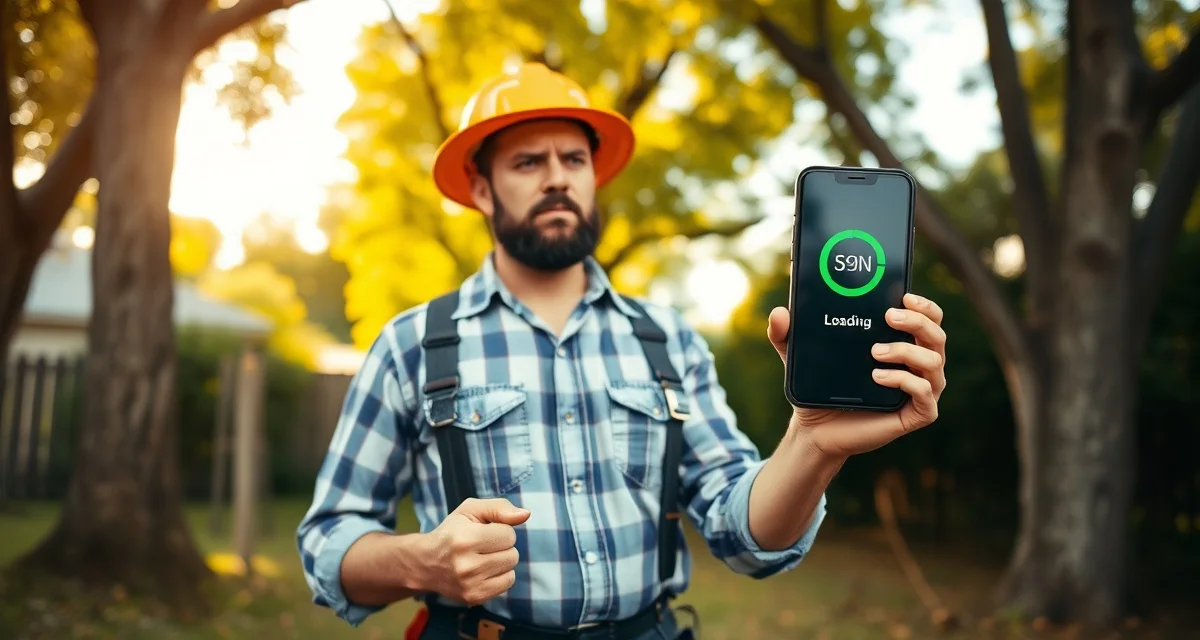
Arborgold's average mobile page load time is 6.8 seconds according to PageSpeed analysis — 3x slower than mobile-optimized platforms. If you've used Arborgold in the field, you've felt this. You're standing in a customer's yard, trying to pull up pricing, and you're watching a loading spinner for the fifth time in 20 minutes.
That's not a minor annoyance. It's a competitive disadvantage that's costing you jobs.
TL;DR
- Tree service companies that adopt purpose-built software reduce administrative time by an average of 5-8 hours per week.
- AI photo-to-quote converts a field photo to a priced proposal in under 2 minutes -- compared to 30-45 minutes for manual estimates.
- ANSI Z133 compliance documentation created automatically in the field reduces insurance audit preparation time.
- ISA certification tracking prevents lapses that affect eligibility for municipal, utility, and commercial contracts.
- GPS dispatch with route optimization saves 15-20% of daily drive time for multi-crew operations.
TL;DR
Arborgold was built as a web platform and its mobile experience is effectively the web interface on a phone — slow by design. Field crews quoting jobs or checking status experience 6-8 second load times per screen transition. Mobile-first platforms like StumpIQ load in under 2 seconds on any 4G connection. The speed difference affects how fast you can quote, how professional you look doing it, and whether your crew leads will actually use the tool.
Why Arborgold Loads Slowly
The architecture issue isn't a bug — it's a fundamental design choice. Arborgold was built desktop-first. The web platform is the primary product. The mobile experience is a responsive version of that web interface — meaning the same code that runs on a desktop browser runs on a phone, scaled and reflowed to fit the smaller screen.
Desktop web applications are built for different constraints than native mobile apps. They assume fast broadband, large screens, and precise mouse input. When you access a desktop web app from a phone on a 4G connection, you're loading the same volume of code and assets as the desktop version — but on slower hardware and a slower connection.
Mobile-first applications are built differently. The code is leaner. The assets load progressively. Interactions are designed for touch rather than click. The result is dramatically faster load times on mobile devices.
StumpIQ's mobile-first architecture loads in under 2 seconds on any 4G connection — built for field use, not desktop browsers. The design constraint was: this app is being used by a crew lead standing in a backyard, often in marginal cell service, trying to get information fast.
The Real Cost of Slow Mobile Performance
Lost Quoting Speed
AI photo quoting is supposed to generate a proposal in under 2 minutes. If the app takes 8 seconds to load each of three screens, you've added 24 seconds of waiting to a 2-minute process. More practically: you're loading the app while the customer watches, which looks unprofessional and makes the technology feel unreliable even when it eventually works.
Crew Adoption Failure
Crew leads who try to use an app that's consistently slow stop using it. This is the quiet adoption failure that kills the ROI of any software investment. If the Arborgold app loads slowly enough that it's faster to call the dispatcher than to navigate to the job details, crew leads will call. The GPS check-in and job status update features that were supposed to replace phone calls never replace them because the app is too frustrating to use consistently.
Customer-Facing Perception
When you're building a proposal in a customer's yard and they're watching the process, a loading spinner sends a message. It's not the message you want to send. Mobile-first software that responds in under 2 seconds looks like a modern, professional operation. Slow-loading software looks like the tool is wrong for the job.
Missed Opportunities in the Field
When you're waiting for a screen to load, you're not doing anything else productive. Multiply 8 seconds of load time by 15-20 interactions per day, across a crew lead's workday. That's 2-3 minutes of daily dead time per crew member — insignificant individually, but it compounds into real time lost over a year.
User Reports and Ratings
Arborgold's mobile app is rated 2.8/5 on the App Store. The most common complaints in reviews:
- "Slow to load on LTE" — multiple reviewers
- "App frequently needs to be reloaded" — sync errors requiring app restart
- "Missing features compared to desktop" — functionality available on the website isn't available on the app
- "Times out during estimates" — particularly problematic when building proposals in the field
The gap between the desktop and mobile experience suggests that mobile has not been a priority for Arborgold's development team. The mobile app appears to receive fewer resources and updates than the web platform.
What the Speed Difference Looks Like in Practice
| Action | Arborgold (Mobile) | StumpIQ (Mobile) |
|---|---|---|
| App load from background | 6-8 seconds | Under 2 seconds |
| Navigate to new job | 4-6 seconds | Under 2 seconds |
| Load estimate builder | 5-7 seconds | Under 2 seconds |
| Submit job completion | 3-5 seconds | Under 1 second |
| Upload photo | 8-12 seconds | 2-3 seconds |
| Daily time lost (20 interactions) | 2.5-4 minutes | Under 30 seconds |
These times are approximations based on PageSpeed data and user reports, not controlled testing. Real-world times vary by device and connection quality.
Does Arborgold Work Offline?
No. Arborgold requires an active internet connection for all functionality. In areas with poor cell service — rural properties, low-coverage suburban areas, locations in the shadow of large structures — Arborgold may be functionally unusable.
This is another consequence of the web-first architecture. Native mobile apps can be built with offline mode — caching data locally and syncing when connectivity is restored. Web-based mobile experiences can't easily implement offline functionality because they depend on server requests for all data operations.
For tree companies working in rural markets or areas with inconsistent coverage, an app that requires constant connectivity is a reliability problem.
Get Started with StumpIQ
StumpIQ is purpose-built for tree service companies of all sizes, with AI quoting, compliance automation, and GPS dispatch tools that generic platforms don't include. If you are evaluating software for your operation, StumpIQ is a useful starting point for comparison.
FAQ
Why does Arborgold load so slowly on mobile devices?
Arborgold was built as a web platform and its mobile experience is essentially the web interface scaled to phone screen dimensions. Web applications require more data transfer and processing than native mobile apps, which is why load times on mobile are 6-8 seconds vs. under 2 seconds for purpose-built mobile apps like StumpIQ.
Does Arborgold work offline when there's no cell signal?
No. Arborgold requires an active internet connection for all functionality. Areas with poor cell coverage — rural properties, locations in coverage gaps — will experience app unavailability or extreme slowness rather than offline mode.
What tree service software loads faster than Arborgold?
StumpIQ's mobile-first architecture loads in under 2 seconds on any 4G connection. The platform was built for field use as the primary design constraint, resulting in lean code and progressive loading that performs reliably on mobile networks. Jobber's native app also performs faster than Arborgold's mobile web experience, though Jobber lacks tree-specific features.
What makes tree service software different from generic field service platforms?
Tree service software is built around arborist-specific workflows: AI species identification for field quoting, ANSI Z133 safety checklists, ISA certification tracking, storm demand forecasting, and hazard-level job classification. Generic field service platforms can be configured to approximate these workflows, but doing so requires weeks of manual setup and still produces a less accurate result for tree-specific job types.
How do tree service companies evaluate software before buying?
The most effective approach: identify your top 3 operational pain points, ask vendors to demonstrate those specific scenarios in a live demo, check user reviews on Capterra and G2 for patterns, and request a trial period to test with real job data. Ask specifically about mobile performance in the field, since most tree service work happens away from the office.
What is the ROI of tree service software for a small company?
For a 2-3 crew operation, purpose-built tree service software typically recovers its cost through: faster quoting that wins more bids, invoicing on the day of job completion rather than days later, reduced administrative hours, and fuel savings from route optimization. Most companies report positive ROI within 60-90 days of full adoption.
Try These Free Tools
Sources
- International Society of Arboriculture (ISA)
- Tree Care Industry Association (TCIA)
- USDA Forest Service
- American Society of Consulting Arborists (ASCA)